Notificaciones de transmisión en vivo
Algunas transmisiones se benefician de anunciar a su audiencia cuando se activan.
Esto no es un respaldo de ningún servicio en particular, pero puede ayudar a algunos streamers a integrarse en sus comunidades existentes.
Si deseas ampliar esto y enviar notificaciones automáticas a otros destinos, crea un webhook.
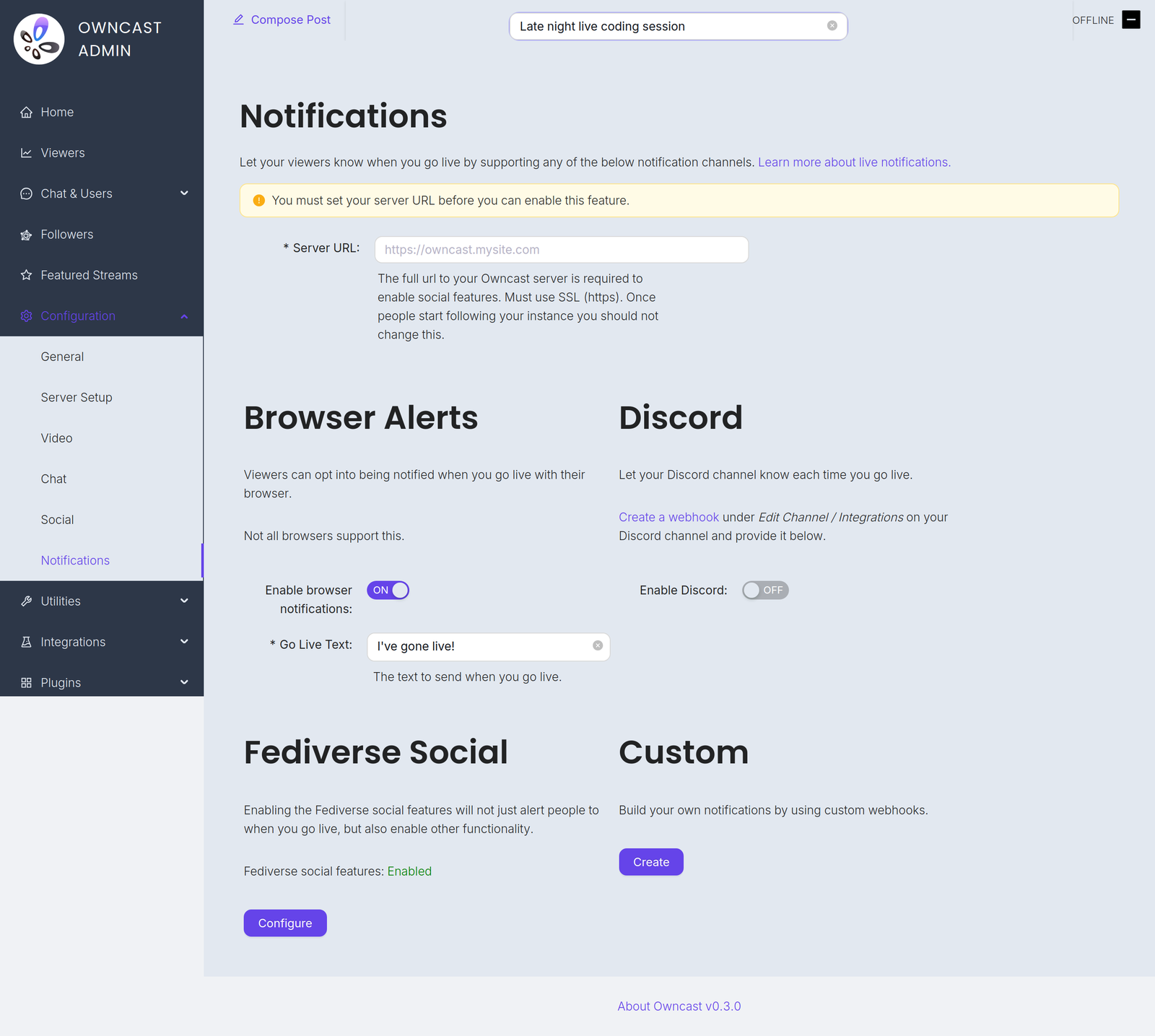
Encontrarás estos canales en Configuración → Notificaciones en el administrador.
Before you can enable any of them you must set your Server URL under Configuration → General. Until you do, every notification channel on this page is disabled and the admin shows a warning with a field to set it.
Go-live notifications are not instant. Owncast waits 2 minutes after your stream starts before sending them, which avoids notifying people about accidental or very short streams. And if a notification already went out in the previous 10 minutes, for example because your stream briefly dropped and reconnected, a new one is not sent.
- Notificaciones del navegador
- Extensión del navegador
- Fediverse
- Discord
- Personalizado
Usando notificaciones push del navegador, tus espectadores pueden elegir ser notificados cada vez que salgas en vivo.
To offer this, turn on Enable browser notifications and set the required Go Live Text, the message sent when you go live, up to 200 characters.
Browser push notifications are not supported for local servers. Your instance must be reachable at a public HTTPS address.
No todos los navegadores admiten esta función, y los navegadores que lo hacen pueden manejarlo de manera diferente. Brave, por ejemplo, requiere que elijas la duración de validez de las notificaciones. Es probable que quieran seleccionar "Para siempre" para mantener la notificación activa.
Activando las notificaciones del navegador en iOS
Puedes solicitar ser notificado cuando una transmisión se active en iOS siguiendo estos pasos:
- Abre Safari y navega a tu instancia de Owncast.
- Tap the share button in Safari.
- Scroll down and tap "Add to Home Screen".
- Tap "Add".
- Give the link a name and tap the new icon on your home screen.
- Press the "Notify" button and enable notifications.
- Toca "Permitir" cuando se te pida.
Otra forma sugerida de recibir notificaciones del navegador de cualquier número de transmisiones es utilizando la Extensión de Navegador de Owncast por craftamap. Está disponible para Chrome y Firefox.
Las características sociales de Fediverse tienen soporte integrado para notificar a tus seguidores cuando salgas en vivo. Visita la documentación para más información.
Puedes notificar a un canal de Discord cuando tu transmisión se active.
- Visit Edit Channel / Integrations on your Discord channel and create a webhook. The Discord documentation has complete instructions.
- In the Owncast admin, turn on Enable Discord.
- Paste the webhook into the Webhook URL field.
- Set the Go Live Text, the message posted when you go live, up to 300 characters.
Puedes crear tus propias notificaciones personalizadas usando webhooks. Esto te permite enviar notificaciones a cualquier servicio escribiendo tu propia integración.
Improve this page
See something missing or incorrect? Edit the English version of this page or help improve translations.
