 Owncast ahora soporta plugins personalizados.
 Personaliza tu sitio de Owncast
Resumen
Owncast incluye una interfaz web para tu video con chat integrado que está disponible una vez que inicias el servidor. Muestra los estados en línea/fuera de línea, el recuento de espectadores, la duración de la transmisión, la descripción de tu instancia, imágenes, enlaces y más. Puedes comenzar a usarlo sin hacer cambios, pero probablemente querrás actualizar el contenido que se muestra en tu página visitando la página de administración de tu servidor.
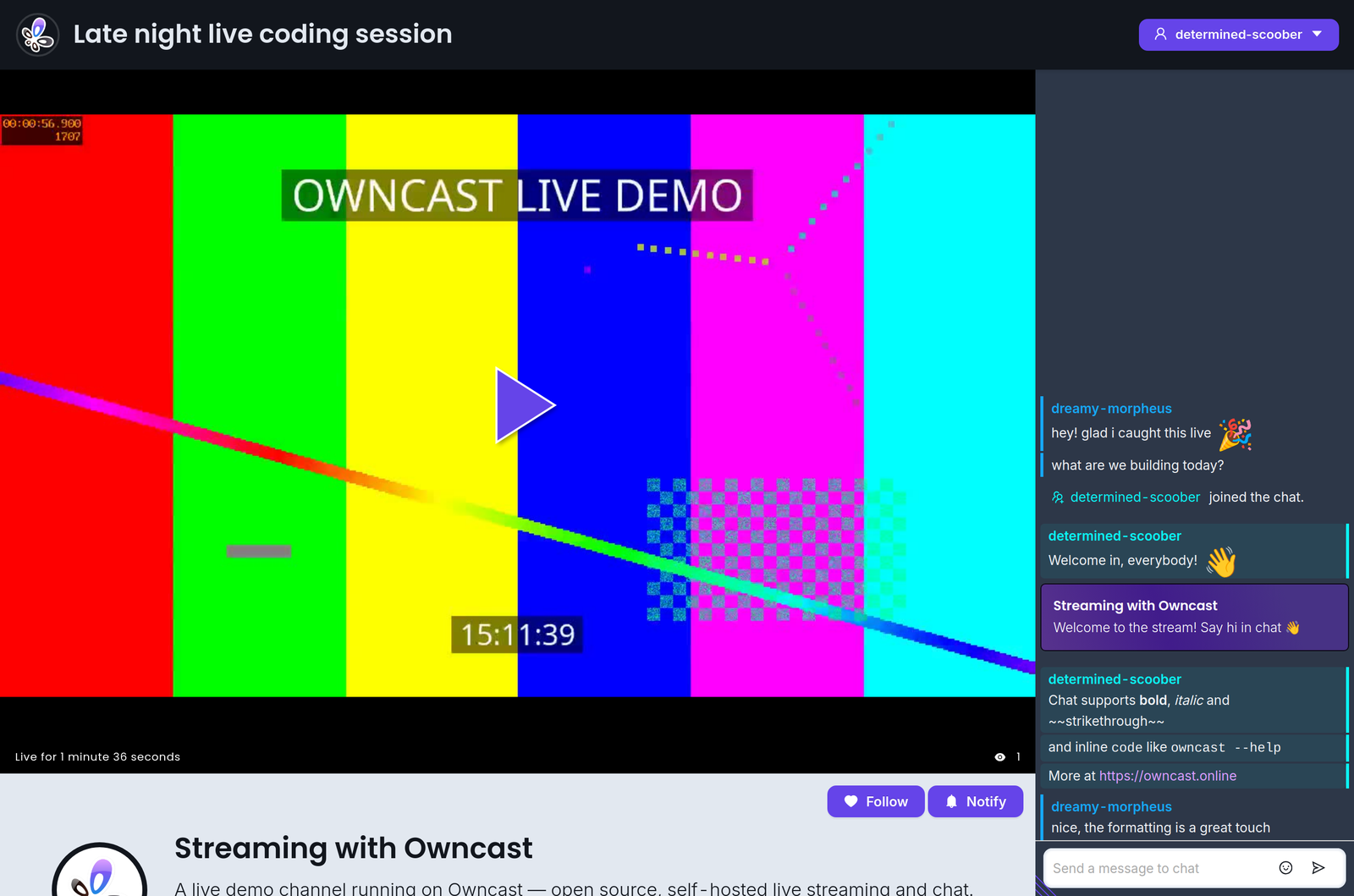
Además, la interfaz web fue construida específicamente para ser personalizable por cualquier persona que se sienta cómoda ajustando colores y estilos. No se necesita un entorno de desarrollo, solo abre el panel de administración y comienza a ajustarlo.
Si deseas incrustar Owncast en tu sitio web existente, consulta nuestra documentación sobre la incrustación de Owncast.
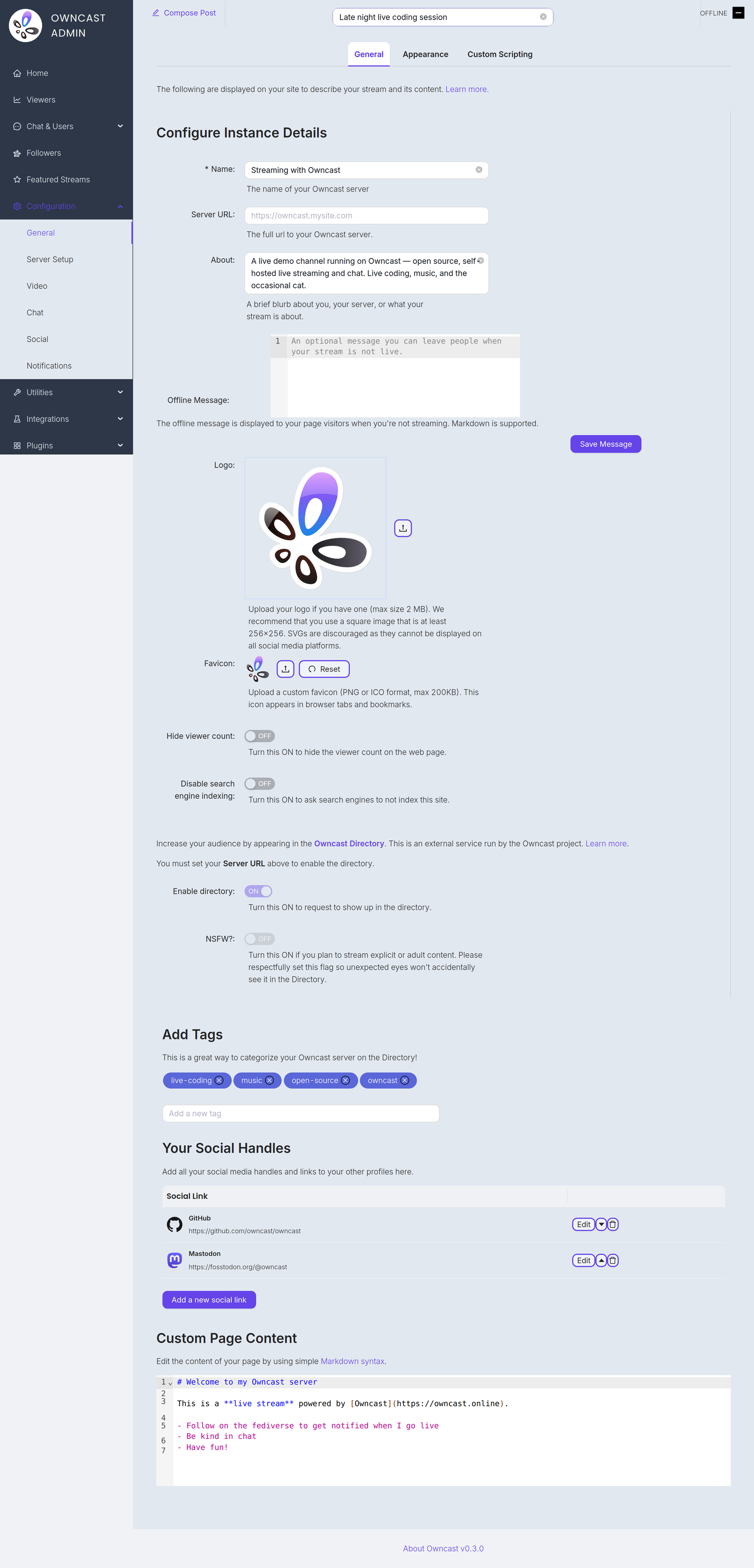
A continuación se presentan algunos elementos que probablemente desees personalizar para actualizar el contenido que se muestra en tu página. Los encontrarás todos en la página de configuración General en el panel de administración.
Name and About
By setting your name, About text and logo you can quickly update the contents of the website to reflect your stream. The Name field accepts up to 255 characters. The About field is a short blurb, up to 500 characters, about you, your server, or what your stream is about.
Server URL
The full public URL of your server, for example https://owncast.mysite.com. You must set it before you can enable the Owncast Directory listing or any of the live stream notifications.
Offline Message
An optional message, up to 2500 characters, shown to visitors when you're not streaming. Markdown is supported.
Logo
Upload your logo as a PNG, JPEG or GIF up to 2 MB. A square image of at least 256x256 works best. SVGs are discouraged as they can't be displayed on all social media platforms.
Favicon
Upload a custom favicon in PNG or ICO format, up to 200 KB. It appears in browser tabs and bookmarks.
Etiquetas
Al establecer etiquetas, estás mostrando a los espectadores potenciales qué categorías de contenido sueles transmitir.
Enlaces sociales externos
Puedes agregar enlaces a tus perfiles en otros sitios añadiéndolos en el panel de administración.
Contenido de la página web
El contenido principal de tu página se puede personalizar en tu panel de administración. Utiliza la sintaxis estándar de Markdown para agregar enlaces, imágenes y más.
Hide viewer count
Turn this on to hide the viewer count on your web page.
Disable search engine indexing
Turn this on to ask search engines not to index your site.
Enable directory
Request a listing in the Owncast Directory, an external service run by the Owncast project that helps people find streams. Requires the Server URL to be set. Read more about the directory.
NSFW
If you stream explicit or adult content, turn this on so unexpected eyes won't accidentally see it in the directory. Like the directory toggle, it requires the Server URL to be set.
Improve this page
See something missing or incorrect? Edit the English version of this page or help improve translations.
