 Owncast prend maintenant en charge des plugins personnalisés.
 Chat
Mise en forme du texte
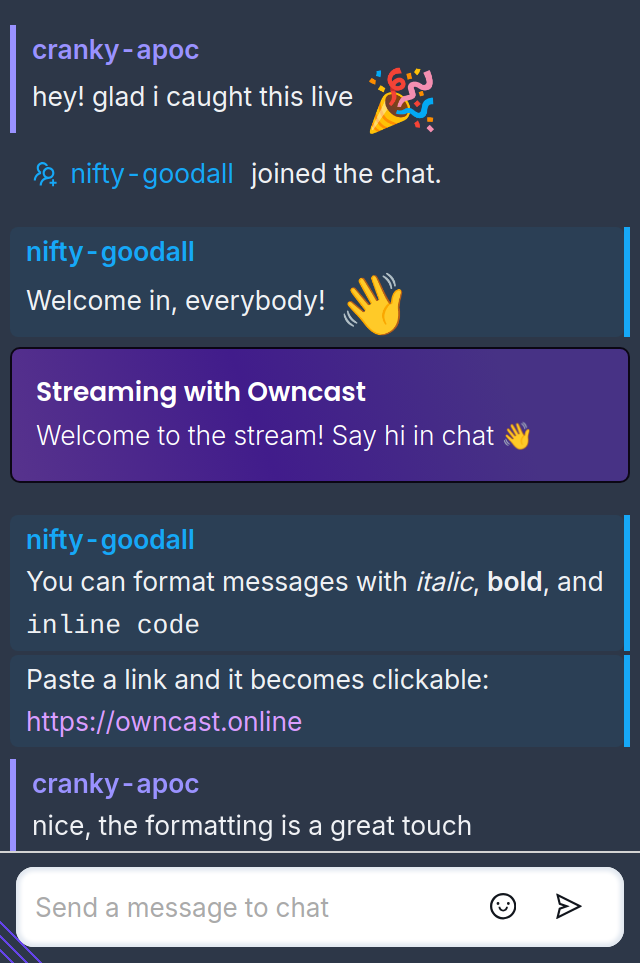
Le chat web prend en charge un formatage de base en utilisant Markdown:
Italique: *votre texte*
Gras: **votre texte**
Inline code: `your text`
Lorsque vous envoyez un message, Owncast rend le formatage en ligne :
Your Name and Color
Open the dropdown in the upper right of the page and choose Change name to set your chat display name. The same dialog lets you pick one of eight display colors used for your name and messages.
Hiding and Popping Out Chat
The same dropdown has an option to hide or show chat, and pressing the c key toggles it too. You can also pop chat out into its own window and put it back later.
Badges
Some senders have a badge next to their name: a moderator badge, an authenticated badge for people who have verified their identity, and a bot badge for messages sent by bots and integrations.
Improve this page
See something missing or incorrect? Edit the English version of this page or help improve translations.
