 Owncast prend maintenant en charge des plugins personnalisés.
 Add custom JavaScript
If you have some JavaScript you need to run when your Owncast web page loads, you can add it in the admin under Configuration > General > Custom Scripting.
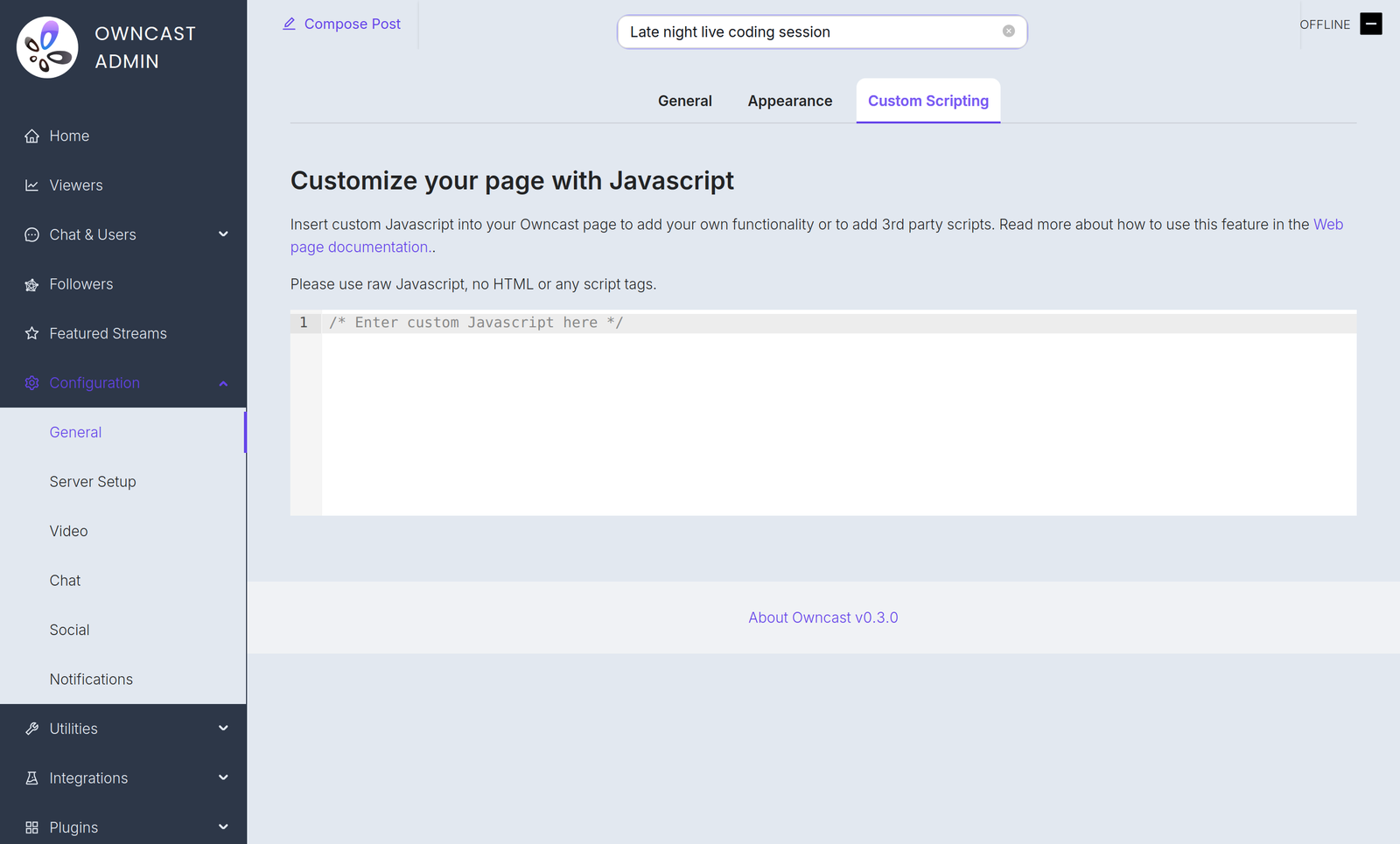
Voici quelques exemples de raisons pour lesquelles vous pourriez en avoir besoin :
- Ajouter des analyses respectueuses de la vie privée.
- Initialiser un processeur de paiement que vous avez intégré sur votre page.
- Use JavaScript to manipulate the interface.
Plugin scripts require Owncast v0.3.0
Starting in Owncast 0.3.0, the /customjavascript endpoint serves your code followed by the scripts of every enabled plugin, so your code and plugin scripts share the same page context.

Owncat warns you
Double check your JavaScript. Toute syntaxe incorrecte ou erreurs que vous insérez dans la page peuvent créer des erreurs et empêcher le chargement de la page ou le fonctionnement des fonctionnalités.
Improve this page
See something missing or incorrect? Edit the English version of this page or help improve translations.
Contributors to this documentation
