 Owncast prend maintenant en charge des plugins personnalisés.
 Notifications de diffusion en direct
Certaines diffusions bénéficient de l'annonce à leur public lorsqu'elles sont en direct.
Cela ne constitue pas une approbation d'un service particulier, mais cela peut aider certains streamers à s'intégrer dans leurs communautés existantes.
Si vous souhaitez développer cela et envoyer des notifications automatisées à d'autres destinations, créez un webhook.
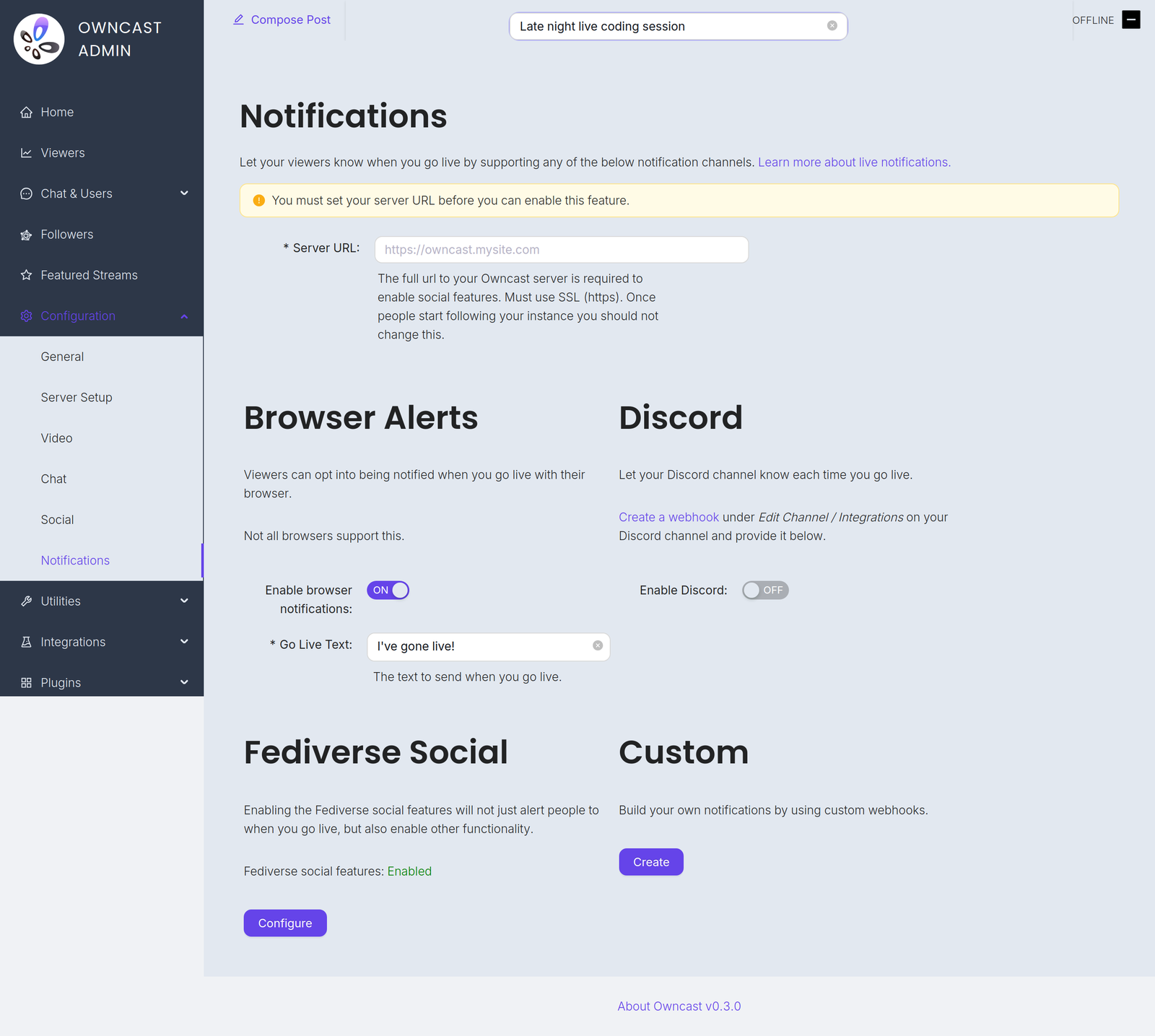
Vous trouverez ces canaux sous Configuration → Notifications dans l'administration.
Before you can enable any of them you must set your Server URL under Configuration → General. Until you do, every notification channel on this page is disabled and the admin shows a warning with a field to set it.
Go-live notifications are not instant. Owncast waits 2 minutes after your stream starts before sending them, which avoids notifying people about accidental or very short streams. And if a notification already went out in the previous 10 minutes, for example because your stream briefly dropped and reconnected, a new one is not sent.
- Notifications de navigateur
- Extension de navigateur
- Fediverse
- Discord
- Personnalisé
Grâce aux notifications push de navigateur, vos spectateurs peuvent choisir d'être notifiés chaque fois que vous êtes en direct.
To offer this, turn on Enable browser notifications and set the required Go Live Text, the message sent when you go live, up to 200 characters.
Browser push notifications are not supported for local servers. Your instance must be reachable at a public HTTPS address.
Tous les navigateurs ne prennent pas en charge cette fonctionnalité, et les navigateurs qui le font peuvent le gérer différemment. Brave, par exemple, exige que vous choisissiez la durée de validité des notifications. Ils voudront probablement sélectionner "Pour toujours" pour garder la notification active.
Activation des notifications de navigateur sur iOS
Vous pouvez demander à être notifié lorsqu'une diffusion commence sur iOS en suivant ces étapes :
- Ouvrez Safari et accédez à votre instance Owncast.
- Tap the share button in Safari.
- Scroll down and tap "Add to Home Screen".
- Tap "Add".
- Give the link a name and tap the new icon on your home screen.
- Press the "Notify" button and enable notifications.
- Appuyez sur "Autoriser" lorsqu'on vous le demande.
Une autre façon suggérée de recevoir des notifications de navigateur d'un nombre quelconque de diffusions est d'utiliser l'Extension de navigateur Owncast par craftamap. Elle est disponible pour Chrome et Firefox.
Les fonctionnalités sociales du Fediverse ont un support intégré pour notifier vos abonnés lorsque vous êtes en direct. Visitez la documentation pour plus d'informations.
Vous pouvez notifier un canal Discord lorsque votre diffusion démarre.
- Visit Edit Channel / Integrations on your Discord channel and create a webhook. The Discord documentation has complete instructions.
- In the Owncast admin, turn on Enable Discord.
- Paste the webhook into the Webhook URL field.
- Set the Go Live Text, the message posted when you go live, up to 300 characters.
Vous pouvez créer vos propres notifications personnalisées en utilisant webhooks. Cela vous permet d'envoyer des notifications à tout service en écrivant votre propre intégration.
Improve this page
See something missing or incorrect? Edit the English version of this page or help improve translations.
