 Owncast ora supporta plugin personalizzati.
 Personalizza il tuo sito Owncast
Panoramica
Owncast include un'interfaccia web per il tuo video con chat integrata, disponibile una volta avviato il server. Mostra gli stati online/offline, il numero di spettatori, la durata dello stream, la descrizione della tua istanza, immagini, link e altro. Puoi iniziare a usarlo senza apportare modifiche, ma probabilmente vorrai aggiornare i contenuti mostrati sulla tua pagina visitando la pagina di amministrazione del server.
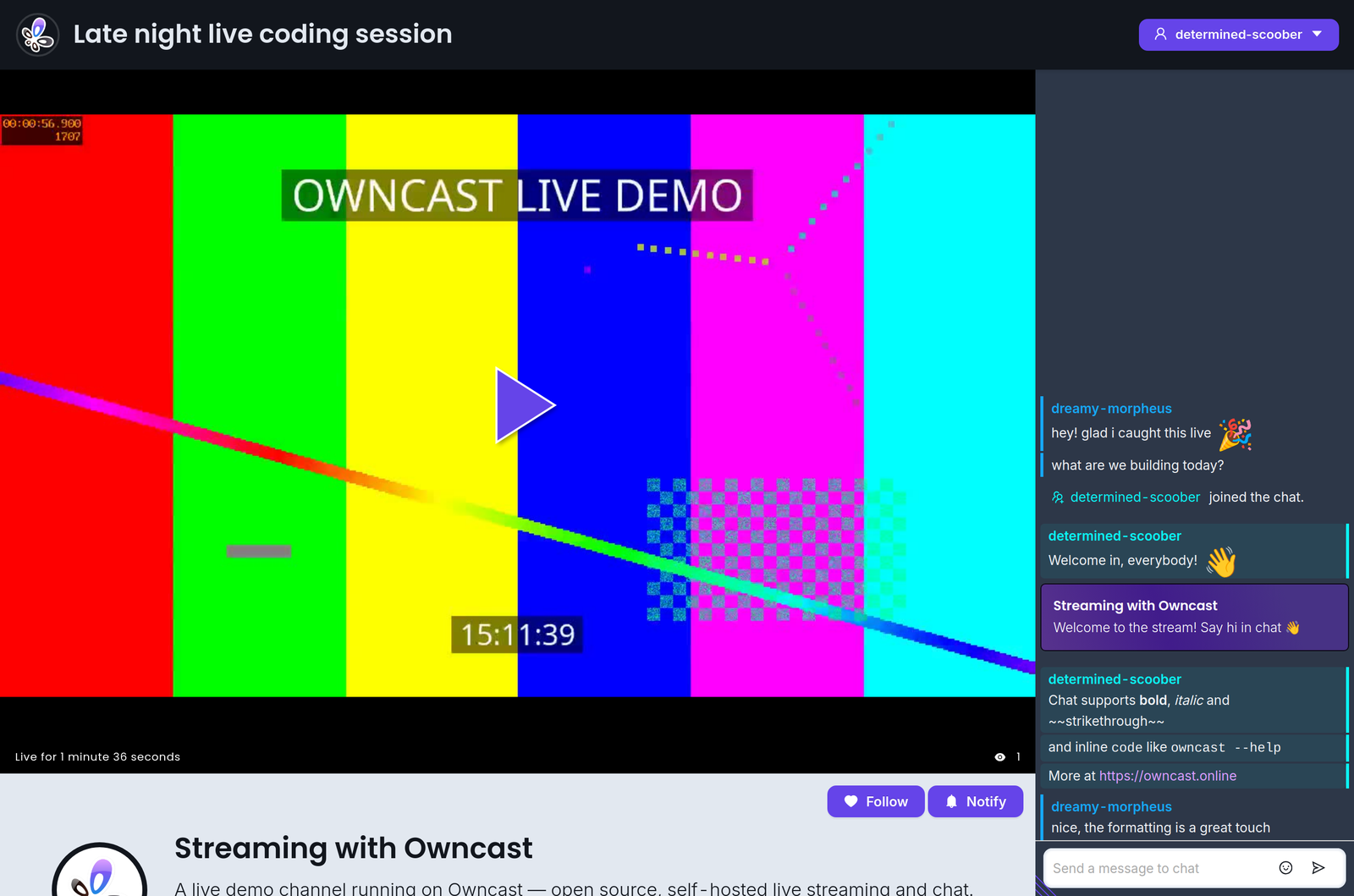
Inoltre, l'interfaccia web è stata progettata specificamente per essere personalizzabile da chiunque sia a proprio agio nel modificare colori e stili. Non è necessario un ambiente di sviluppo: apri semplicemente l'area di amministrazione e inizia a modificare.
Se vuoi incorporare Owncast nel tuo sito web esistente, consulta la nostra documentazione sull'integrazione di Owncast.
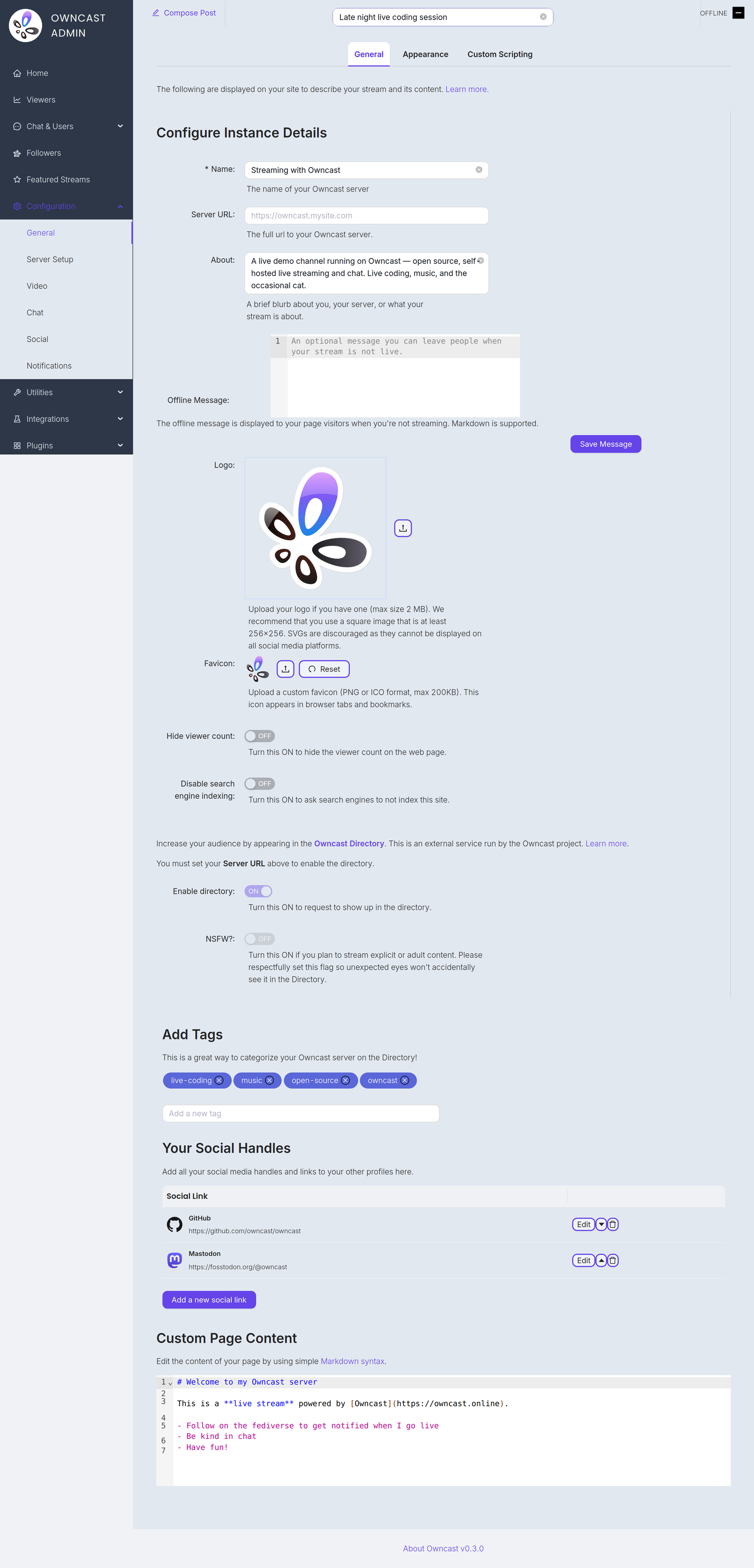
Di seguito sono elencati alcuni elementi che probabilmente vorrai personalizzare per aggiornare i contenuti mostrati sulla tua pagina. Li troverai tutti nella pagina delle impostazioni General nell'area di amministrazione.
Name and About
By setting your name, About text and logo you can quickly update the contents of the website to reflect your stream. The Name field accepts up to 255 characters. The About field is a short blurb, up to 500 characters, about you, your server, or what your stream is about.
Server URL
The full public URL of your server, for example https://owncast.mysite.com. You must set it before you can enable the Owncast Directory listing or any of the live stream notifications.
Offline Message
An optional message, up to 2500 characters, shown to visitors when you're not streaming. Markdown is supported.
Logo
Upload your logo as a PNG, JPEG or GIF up to 2 MB. A square image of at least 256x256 works best. SVGs are discouraged as they can't be displayed on all social media platforms.
Favicon
Upload a custom favicon in PNG or ICO format, up to 200 KB. It appears in browser tabs and bookmarks.
Tag
Impostando i tag mostri ai potenziali spettatori quali categorie di contenuti trasmetti solitamente.
Link social esterni
Puoi aggiungere link ai tuoi profili su altri siti dall'area di amministrazione.
Contenuto della pagina web
Il corpo del contenuto della tua pagina può essere personalizzato nell'area di amministrazione. Usa la sintassi Markdown standard per aggiungere link, immagini e altro.
Hide viewer count
Turn this on to hide the viewer count on your web page.
Disable search engine indexing
Turn this on to ask search engines not to index your site.
Enable directory
Request a listing in the Owncast Directory, an external service run by the Owncast project that helps people find streams. Requires the Server URL to be set. Read more about the directory.
NSFW
If you stream explicit or adult content, turn this on so unexpected eyes won't accidentally see it in the directory. Like the directory toggle, it requires the Server URL to be set.
Improve this page
See something missing or incorrect? Edit this page and improve the documentation for everyone.
