 Owncast ora supporta plugin personalizzati.
TV Smart LG (WebOS)
Smart TV
lgwebossmart-tvm3uiptvtelevisionwatching
IPTV Playlist App
ConsigliatoInstall an IPTV player from the LG Content Store and point it at the Owncast directory playlist.
- Sfoglia l'intera directory di Owncast direttamente sulla tua TV.
- webOS has no native M3U playlist support, so this needs a third-party player.
- Reload the playlist to pick up the streams that are live now.
Mostra le istruzioni passo passo
- Install an IPTV or M3U player from the LG Content Store. Availability varies by region and by TV model.
- Add a playlist using this URL:
https://owncast.directory/api/iptv. Make sure it starts withhttps. - Double check you typed it in correctly, then save the playlist.
- Reload or reopen the playlist to refresh the list of live streams.
- Scegli lo stream in diretta che vuoi guardare.
Note: Players differ in how a playlist is added. Some take the URL on the TV, and others want you to upload the playlist through their own website keyed to your TV. Follow whichever method your chosen app documents.
Inserimento URL diretto
Use the webOS Web browser app to open an Owncast stream directly on the TV.
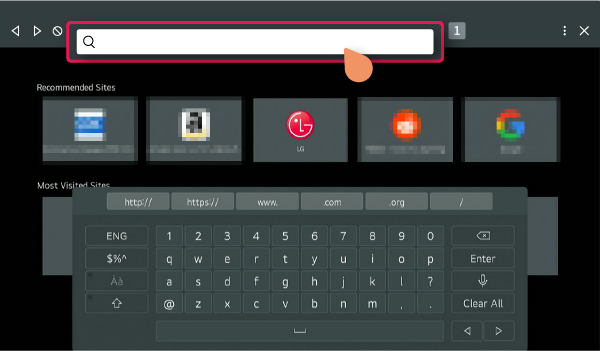
- webOS includes a Web browser app on the Home menu.
- Richiede l'inserimento manuale dell'URL.
- LG notes that browser functions are more limited than on a computer or phone.
Mostra le istruzioni passo passo
- Open Web browser from Home on your LG webOS TV.
- Enter your Owncast server URL in the address bar.
- Prova a riprodurre lo stream direttamente nel browser.
Note: TV browsers are limited compared with a phone or computer, so web video playback may not work reliably.
Improve this page
See something missing or incorrect? Edit this page and improve the documentation for everyone.
Contributors to this documentation
