Owncast はカスタムプラグインをサポートするようになりました。
Jitsi
Jitsiはビデオ会議プロバイダーであり、ソフトウェアスイートでもあります。 オープンソースで、自己ホストが可能です。 また、meet.jit.siでサービスとしても利用できます。
Jitsi sends its RTMP stream from the internet, so TCP port 1935 on your Owncast server must be publicly reachable. Have your stream key ready.
- Jitsiのミーティングページにアクセスしてください。
- 右下の3つの点をクリックしてください。
- 「ライブストリームを開始」を選択してください
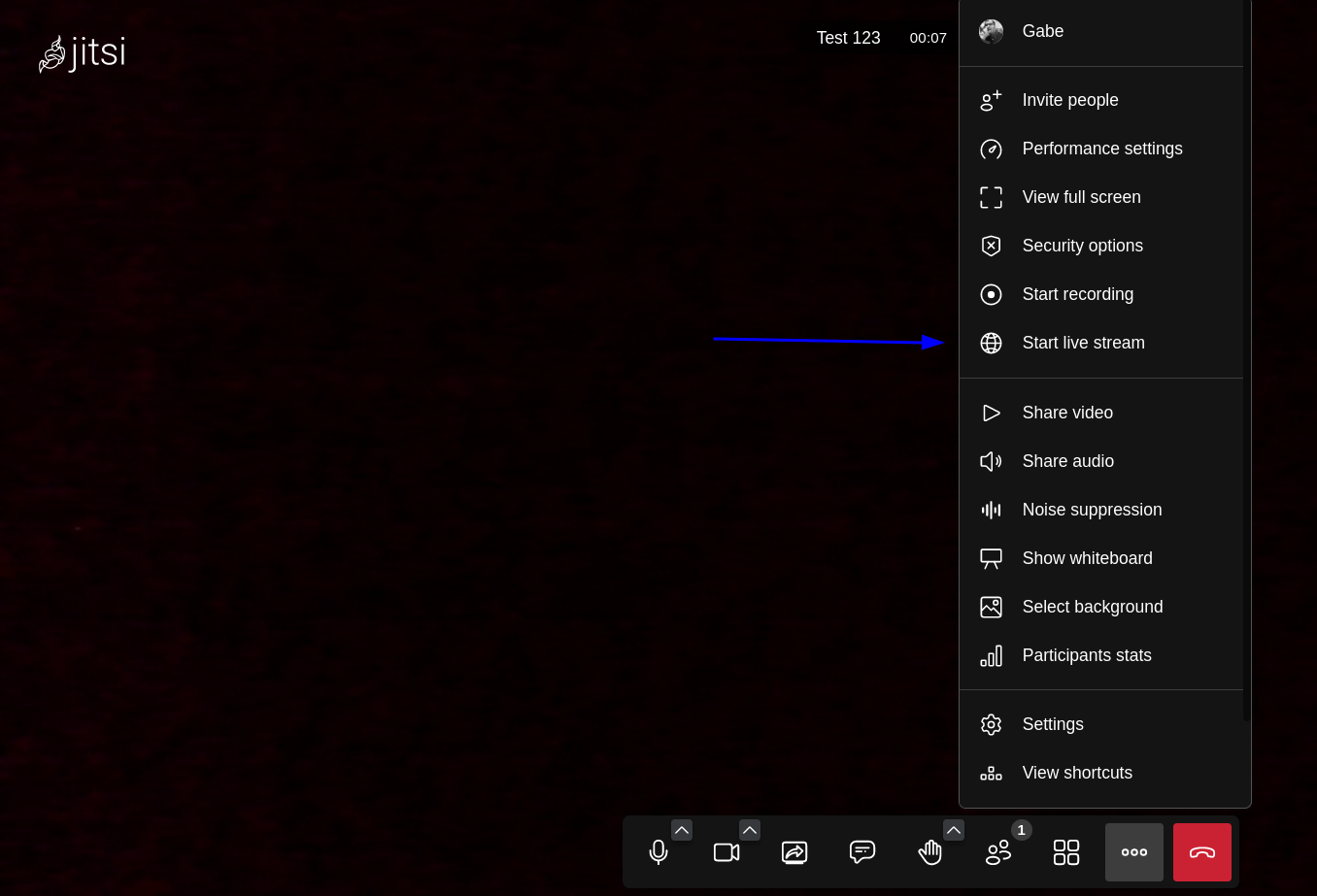
- 「ライブ画面を開始」モーダルに完全なOwncast RTMPを「ライブストリームキー」フィールドに入力します。 これは、rtmp://your-owncast-server/live/yourkeyの形式になります。
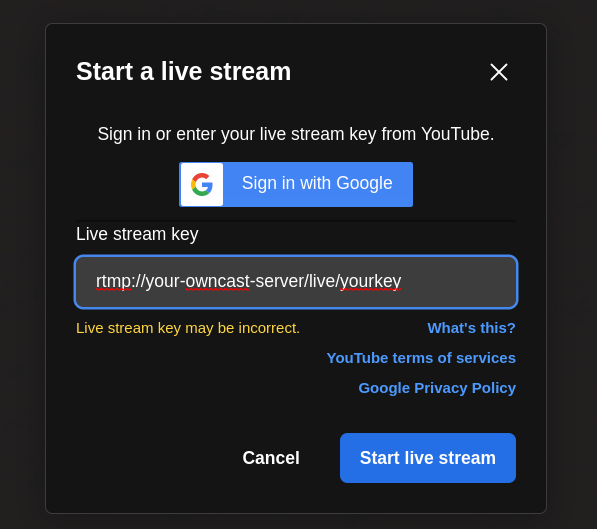
- 「ライブストリームキーが不正確である可能性があります」というエラーが表示されることに注意してください。 これは予期されることで、無視できます。
Improve this page
See something missing or incorrect? Edit this page and improve the documentation for everyone.
Contributors to this documentation