 Owncast はカスタムプラグインをサポートするようになりました。
Owncast サイトをカスタマイズする
概要
Owncast にはビデオ用のウェブインターフェースと組み込みチャットがあり、サーバーを起動すると利用できます。 オンライン/オフラインの状態、視聴者数、配信時間、インスタンスの説明、画像、リンクなどを表示します。 変更せずにそのまま使い始めることもできますが、サーバーの管理ページにアクセスしてページに表示されるコンテンツを更新したくなるでしょう。
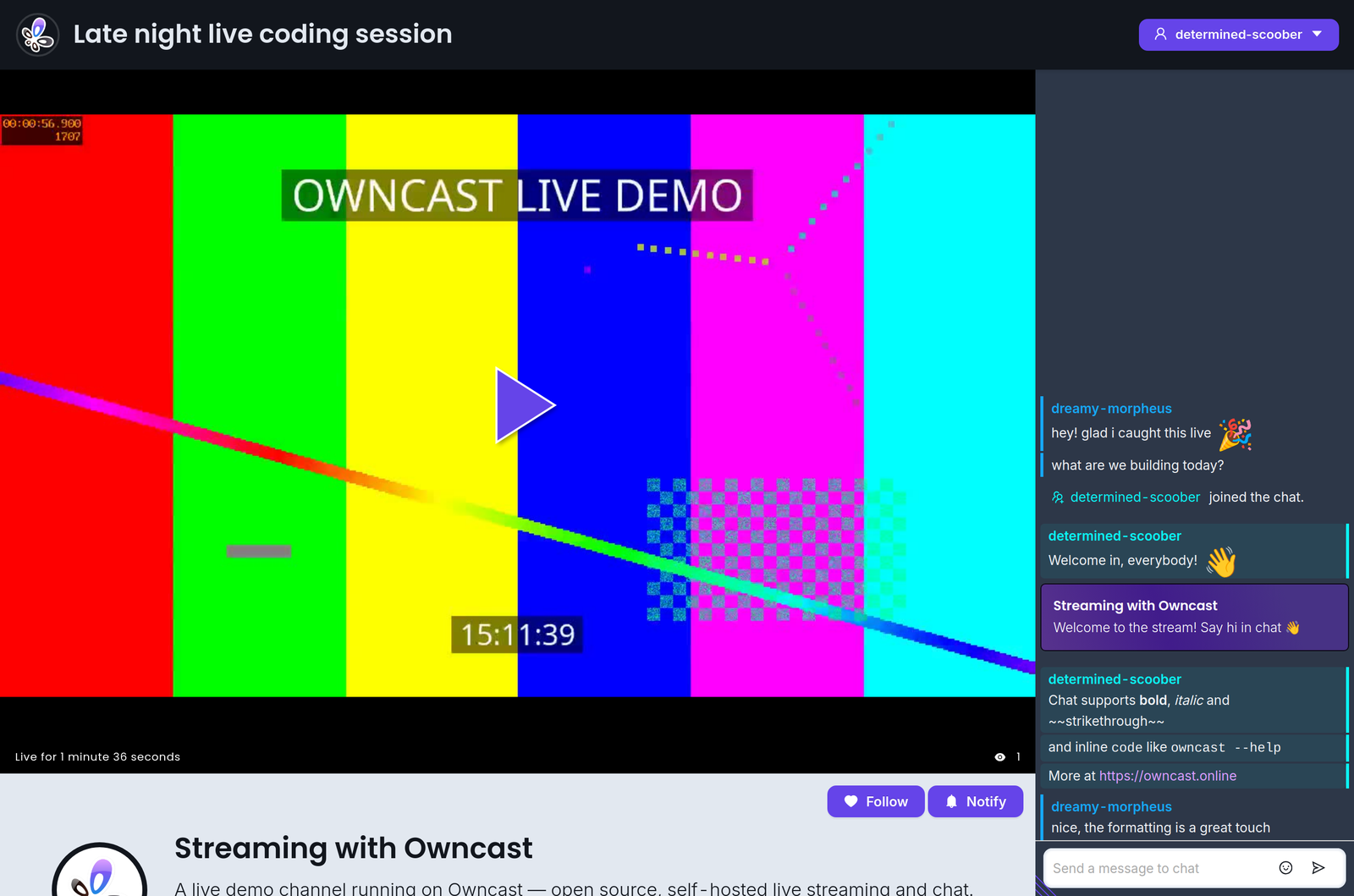
さらに、ウェブインターフェースは色やスタイルを調整できる人なら誰でもカスタマイズできるように設計されています。 開発環境は不要です。管理画面を開いて調整を始めてください。
既存のウェブサイトに Owncast を埋め込みたい場合は、Owncast の埋め込みに関するドキュメントを参照してください。
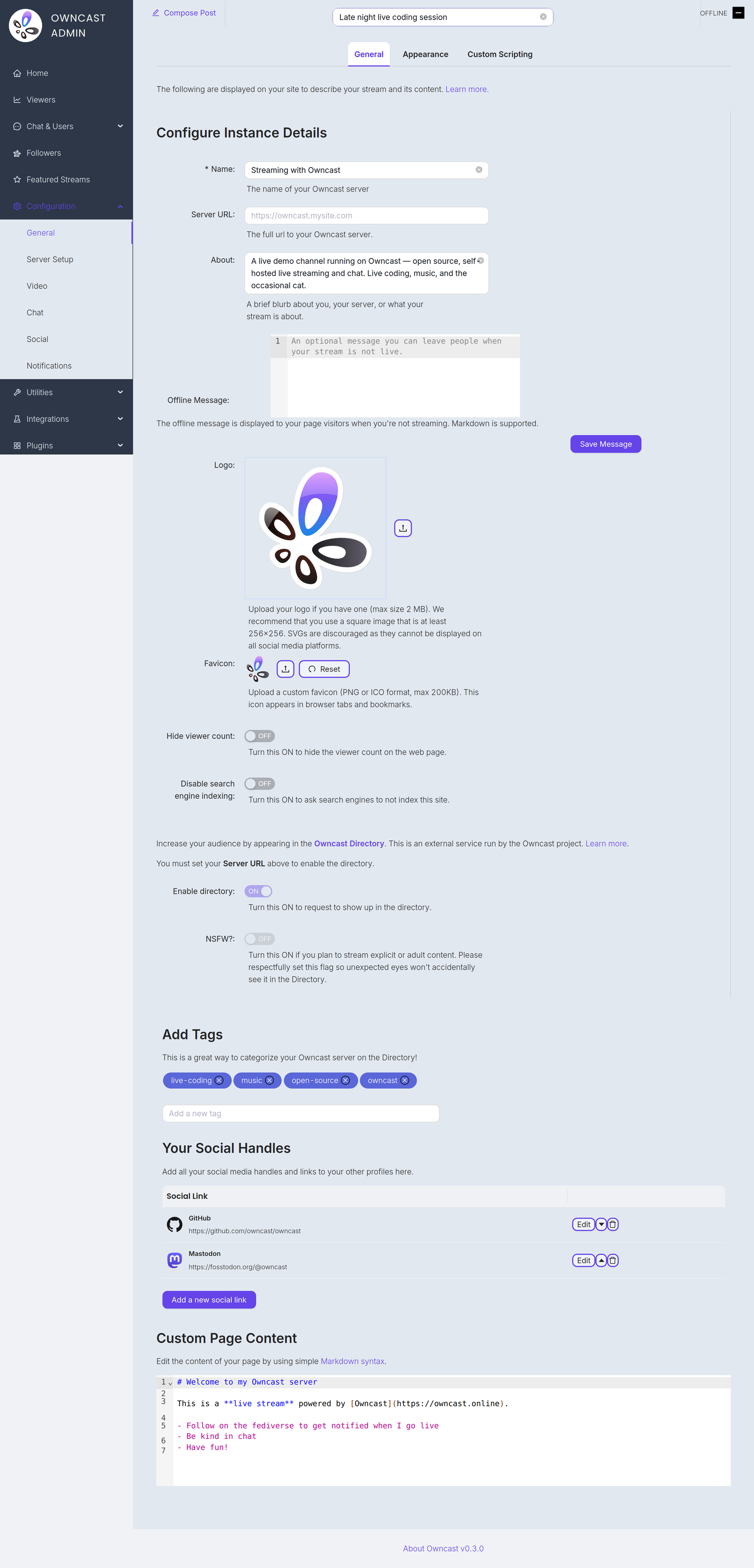
以下は、ページに表示されるコンテンツを更新するためにカスタマイズしたいと思われる項目です。 管理画面の一般設定ページにあります。
Name and About
By setting your name, About text and logo you can quickly update the contents of the website to reflect your stream. The Name field accepts up to 255 characters. The About field is a short blurb, up to 500 characters, about you, your server, or what your stream is about.
Server URL
The full public URL of your server, for example https://owncast.mysite.com. You must set it before you can enable the Owncast Directory listing or any of the live stream notifications.
Offline Message
An optional message, up to 2500 characters, shown to visitors when you're not streaming. Markdown is supported.
Logo
Upload your logo as a PNG, JPEG or GIF up to 2 MB. A square image of at least 256x256 works best. SVGs are discouraged as they can't be displayed on all social media platforms.
Favicon
Upload a custom favicon in PNG or ICO format, up to 200 KB. It appears in browser tabs and bookmarks.
タグ
タグを設定することで、視聴者に普段配信しているコンテンツのカテゴリを示すことができます。
外部のソーシャルリンク
管理画面で他サイトのプロフィールへのリンクを追加できます。
ウェブページのコンテンツ
ページの本文は管理画面でカスタマイズできます。 リンク、画像などを追加するには、標準のMarkdown 構文を使用してください。
Hide viewer count
Turn this on to hide the viewer count on your web page.
Disable search engine indexing
Turn this on to ask search engines not to index your site.
Enable directory
Request a listing in the Owncast Directory, an external service run by the Owncast project that helps people find streams. Requires the Server URL to be set. Read more about the directory.
NSFW
If you stream explicit or adult content, turn this on so unexpected eyes won't accidentally see it in the directory. Like the directory toggle, it requires the Server URL to be set.
Improve this page
See something missing or incorrect? Edit this page and improve the documentation for everyone.
