 Owncast はカスタムプラグインをサポートするようになりました。
ストリームパフォーマンス
全体のストリームヘルス
誰も見ることができなければ、ストリーミングには意味がありません。 The Stream Performance page in the admin, at /admin/stream-health, gives you an overview of some important metrics that may give you an idea if what you’re offering your viewers is leading to a good experience.
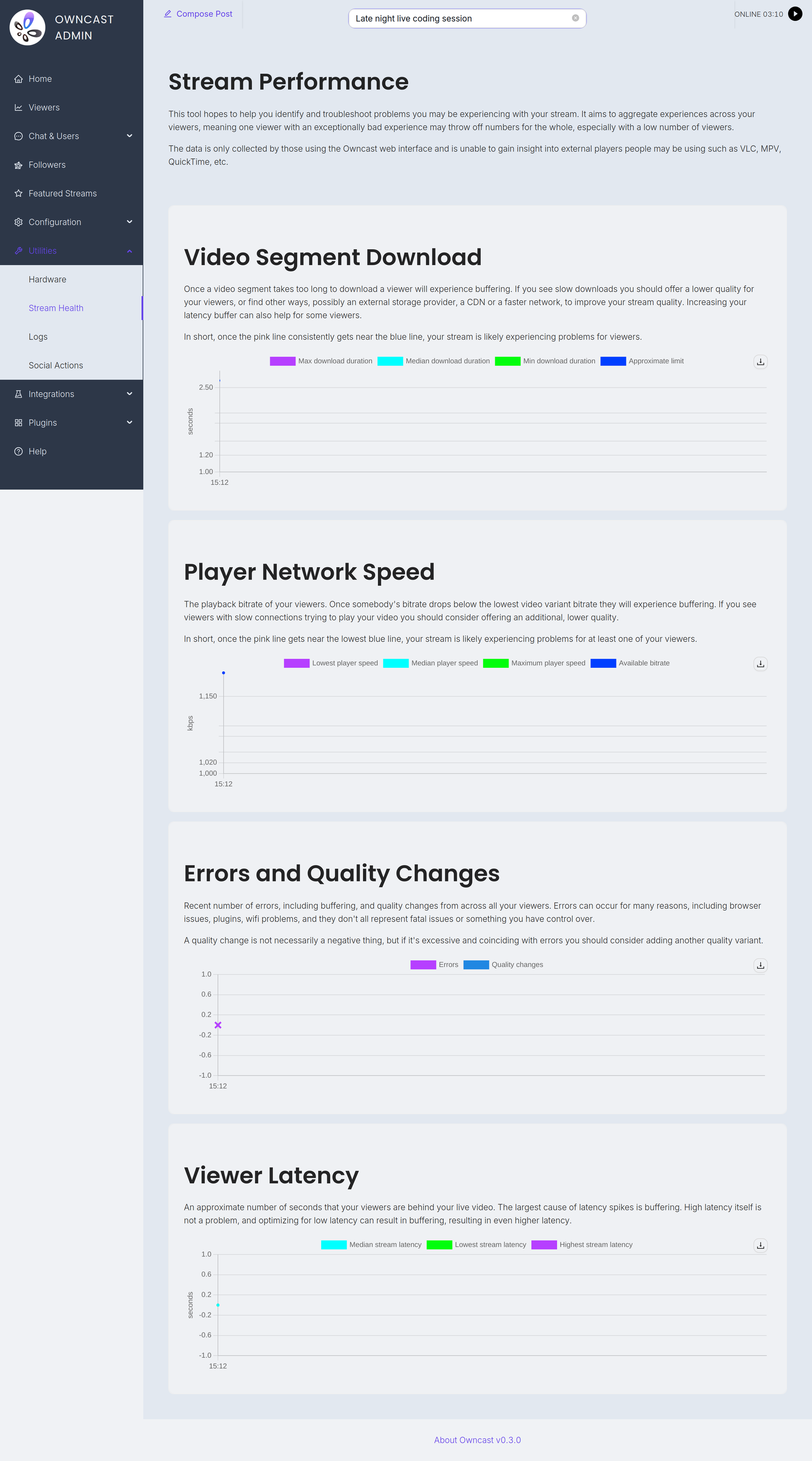
The page charts four things: Video Segment Download, Player Network Speed, Errors and Quality Changes, and Viewer Latency.
エラー、低いネットワーク速度、コンテンツのダウンロード時間が長すぎる場合、低帯域幅の視聴者やモバイルネットワーク、その他の要因に対して再生パフォーマンスを改善するために、追加のビデオ品質を追加する必要があるかもしれません。
このページで人々がストリームの再生に問題を経験しているのが見られる場合は、トラブルシューティングを行うことをお勧めします。
Note: Only some players report detailed playback metrics themselves, mostly web browsers running the Owncast web interface.
For players that do not self-report, such as VLC, mpv, Safari and ffmpeg, Owncast records the download speed and duration of video segments it serves, as observed by the server. This only works when Owncast serves the video itself. If your segments are hosted on S3 storage, viewers download them from there and these players are not represented in the metrics.
ハードウェア
特にCPUがビデオ処理タスクに対応しているかを知ることは、トラブルシューティングの際に重要です。 Owncastは、これを助けるための主要なハードウェアメトリクスの高レベルの概要を提供します。
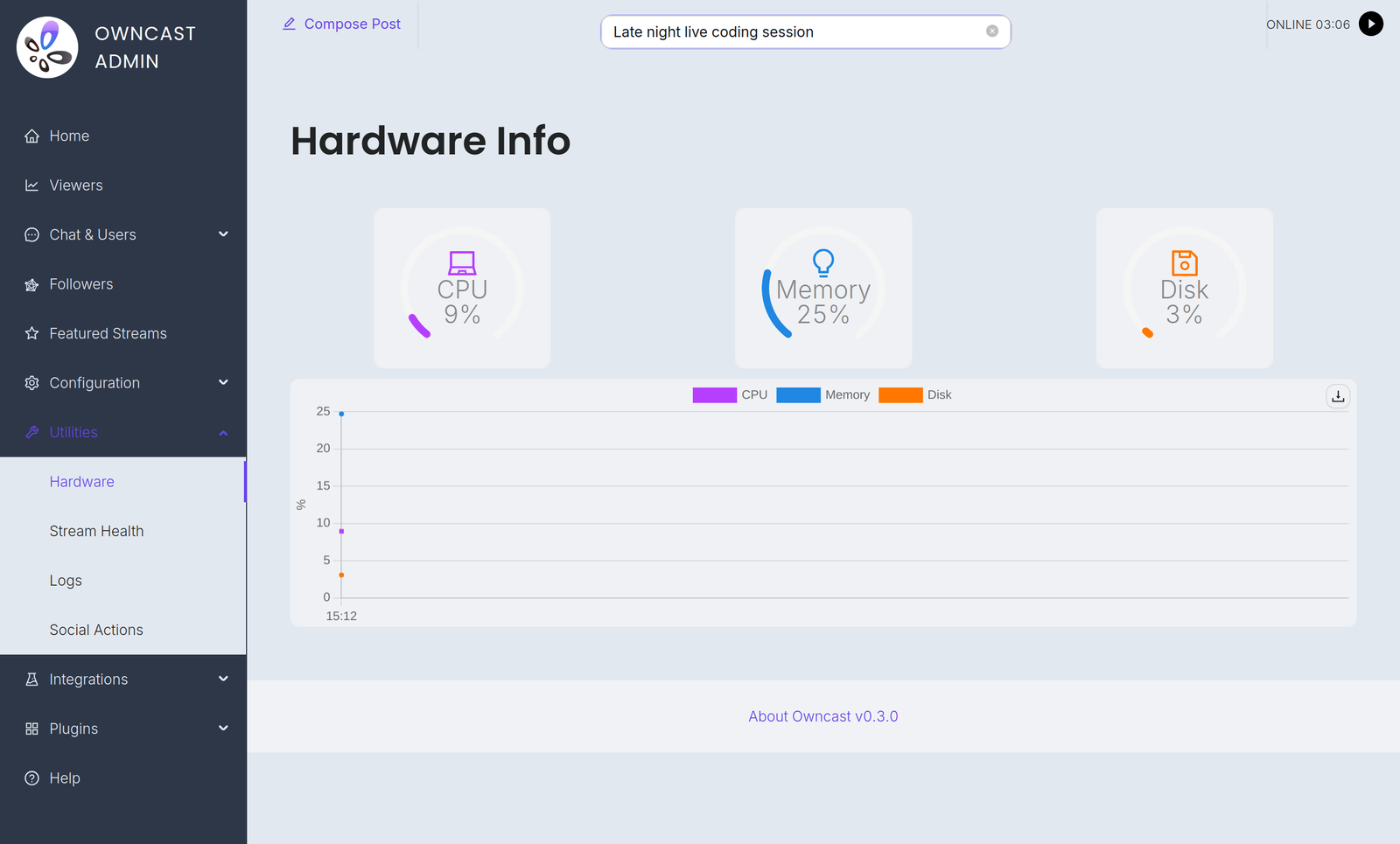
ハードウェアが過剰に使用されているのが見られる場合は、トラブルシューティングを検討するかもしれません。
プロメテウス
外部の監視ソリューションを使用することを好む人々のために、OwncastはPrometheusを使用してメトリクスのセットを収集することをサポートしています。
Prometheusの設定をOwncastインスタンスのエンドポイント/api/admin/prometheusの設定にポイントすることができます。基本認証と管理者のログイン情報を使用します。
例えば:
- job_name: owncast
  scrape_interval: 1m
  metrics_path: /api/admin/prometheus
  scheme: https
  basic_auth:
    username: admin
    password: my_admin_password
  static_configs:
    - targets: ["my.owncast.server"]
Exported metrics
All series are gauges, and all carry two constant labels: version (the Owncast version) and host (your configured server URL, or unknown if it isn't set).
| Name | Meaning |
|---|---|
owncast_instance_active_viewer_count | The number of current viewers. |
owncast_instance_active_chat_client_count | The number of connected chat clients. |
owncast_instance_total_chat_users | The total number of chat users on this Owncast instance. |
owncast_instance_current_chat_message_count | The number of chat messages currently saved before cleanup. |
owncast_instance_playback_error_count | Errors reported by players within the current collection window. |
owncast_instance_cpu_usage | CPU usage as seen internally by Owncast. |
Owncast refreshes these values every 2 minutes, so scraping more frequently than that won't give you more resolution.
Improve this page
See something missing or incorrect? Edit this page and improve the documentation for everyone.
 Gabe Kangas