 Owncast agora suporta plugins customizados.
 Personalize seu site Owncast
Visão geral
O Owncast inclui uma interface web para seu vídeo com chat integrado, disponível assim que você iniciar o servidor. Ele mostra estados online/offline, contagem de espectadores, duração da transmissão, a descrição da sua instância, imagens, links e mais. Você pode começar a usar sem fazer nenhuma alteração, mas provavelmente desejará atualizar o conteúdo exibido em sua página visitando a página de administração do servidor.
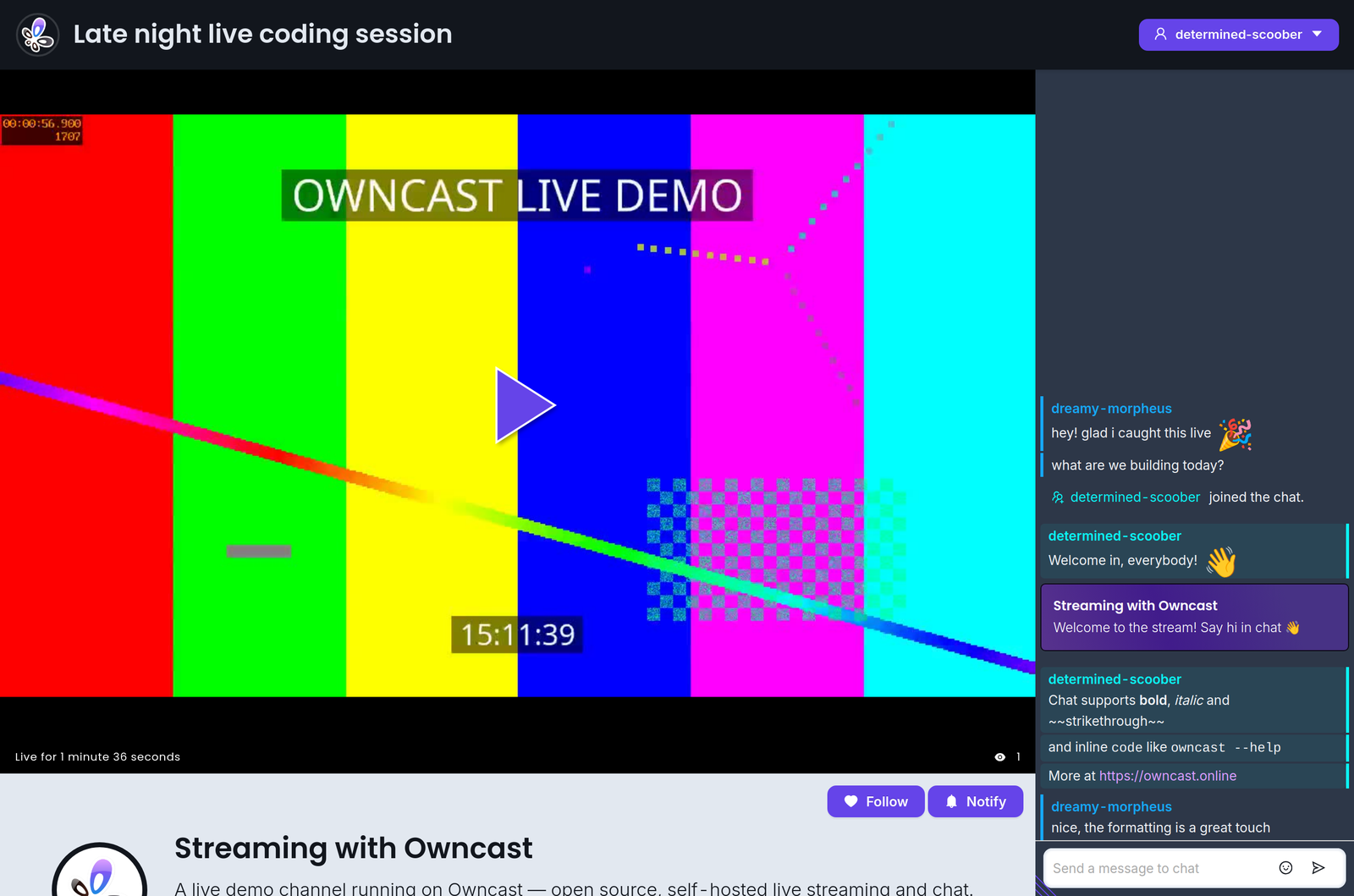
Além disso, a interface web foi construída especificamente para ser personalizável por qualquer pessoa confortável em ajustar cores e estilos. Não é necessário um ambiente de desenvolvimento; basta abrir o admin e começar a ajustar.
Se você quiser incorporar o Owncast em seu site existente, consulte nossa documentação sobre como incorporar o Owncast.
Abaixo estão alguns itens que você provavelmente desejará personalizar para atualizar o conteúdo exibido em sua página. Você encontrará todos eles na página de configurações General no admin.
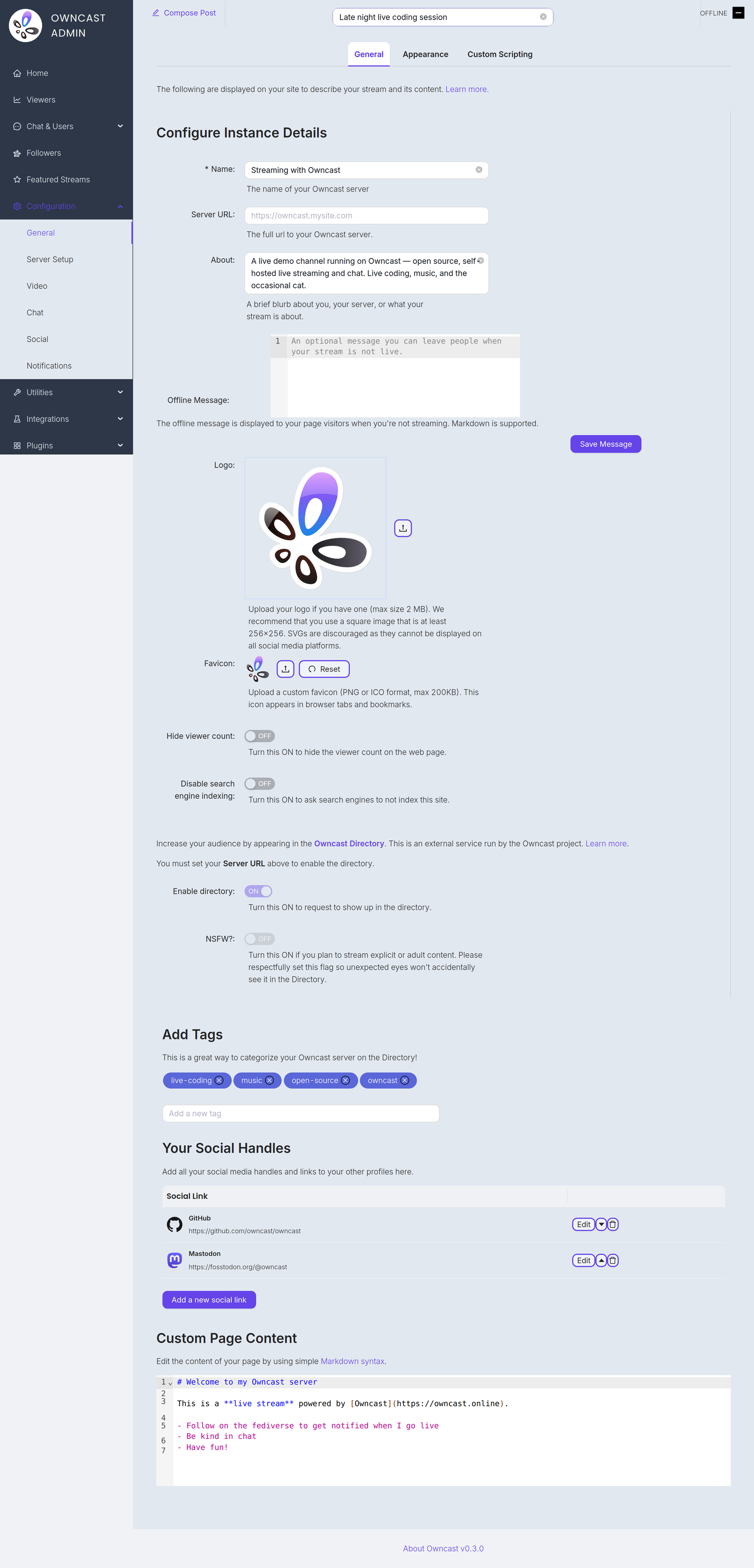
Name and About
By setting your name, About text and logo you can quickly update the contents of the website to reflect your stream. The Name field accepts up to 255 characters. The About field is a short blurb, up to 500 characters, about you, your server, or what your stream is about.
Server URL
The full public URL of your server, for example https://owncast.mysite.com. You must set it before you can enable the Owncast Directory listing or any of the live stream notifications.
Offline Message
An optional message, up to 2500 characters, shown to visitors when you're not streaming. Markdown is supported.
Logo
Upload your logo as a PNG, JPEG or GIF up to 2 MB. A square image of at least 256x256 works best. SVGs are discouraged as they can't be displayed on all social media platforms.
Favicon
Upload a custom favicon in PNG or ICO format, up to 200 KB. It appears in browser tabs and bookmarks.
Etiquetas
Ao definir tags, você mostra aos potenciais espectadores quais categorias de conteúdo você normalmente transmite.
Links sociais externos
Você pode adicionar links para seus perfis em outros sites adicionando-os no admin.
Conteúdo da página web
O corpo do conteúdo da sua página pode ser personalizado no admin. Use a sintaxe Markdown padrão para adicionar links, imagens e muito mais.
Hide viewer count
Turn this on to hide the viewer count on your web page.
Disable search engine indexing
Turn this on to ask search engines not to index your site.
Enable directory
Request a listing in the Owncast Directory, an external service run by the Owncast project that helps people find streams. Requires the Server URL to be set. Read more about the directory.
NSFW
If you stream explicit or adult content, turn this on so unexpected eyes won't accidentally see it in the directory. Like the directory toggle, it requires the Server URL to be set.
Improve this page
See something missing or incorrect? Edit this page and improve the documentation for everyone.
