 Теперь Owncast поддерживает кастомные плагины.
 Настройте свой сайт Owncast
Обзор
Owncast включает веб-интерфейс для вашего видео со встроенным чатом, доступный после запуска сервера. Он показывает состояния онлайн/оффлайн, количество зрителей, длительность трансляции, описание вашего инстанса, изображения, ссылки и другое. Вы можете просто начать пользоваться им без каких-либо изменений, но, скорее всего, вы захотите обновить содержимое, отображаемое на вашей странице, посетив страницу администрирования сервера.
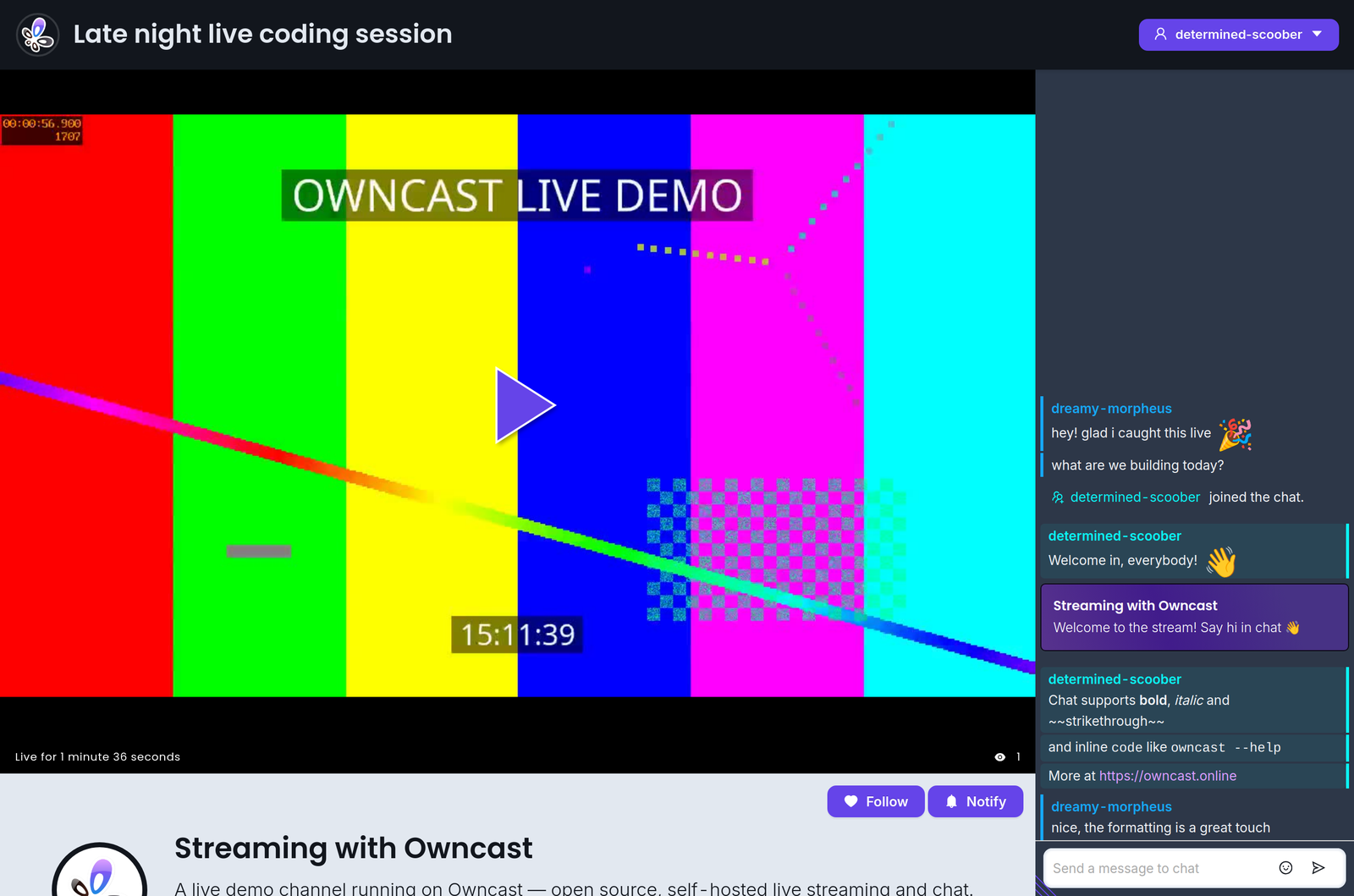
Кроме того, веб-интерфейс специально создан так, чтобы любой, кто умеет изменять цвета и стили, мог его настроить. Среда разработки не требуется — просто откройте админ-панель и начните настраивать.
Если вы хотите встроить Owncast в существующий сайт, ознакомьтесь с нашей документацией по встраиванию Owncast.
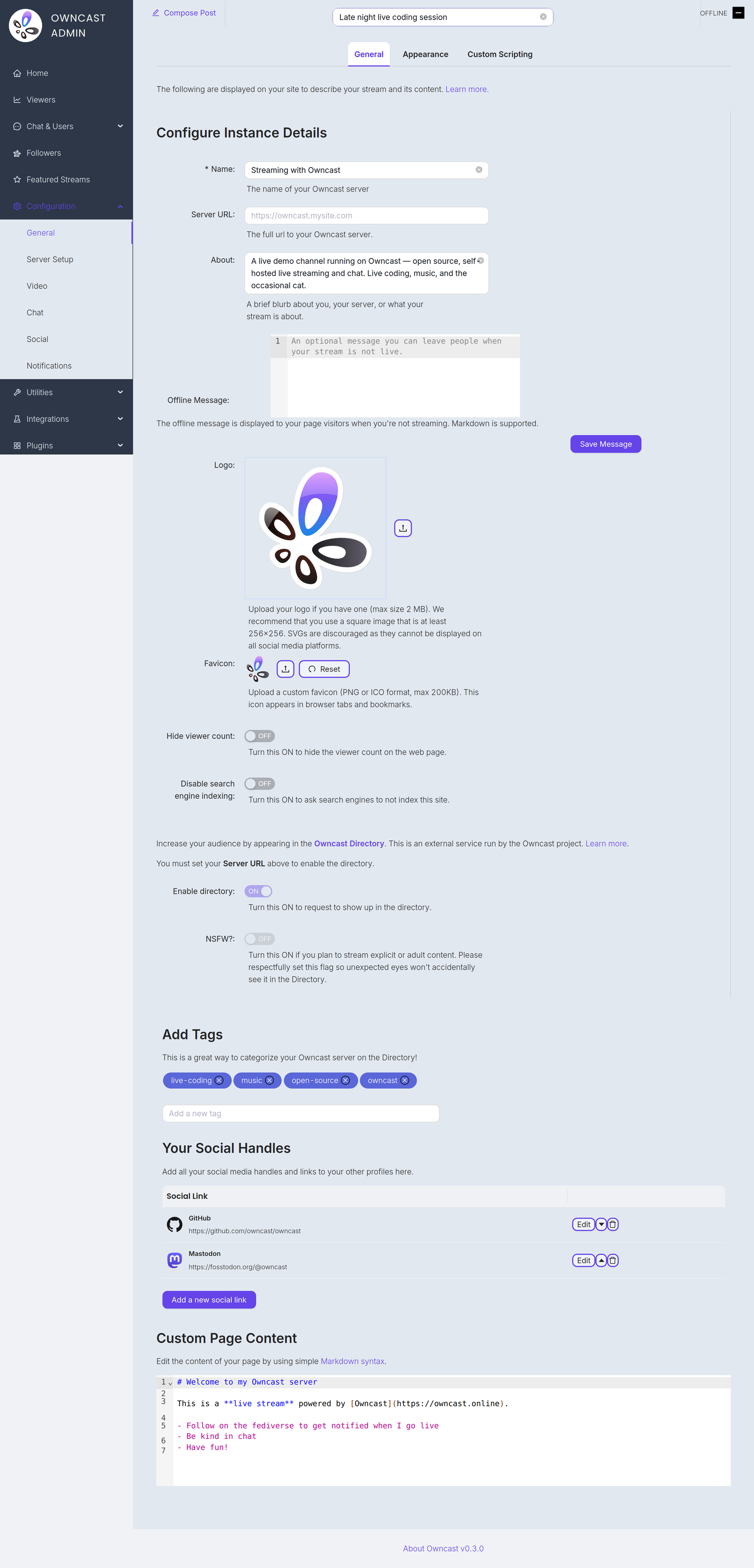
Ниже перечислены элементы, которые вы, вероятно, захотите настроить, чтобы обновить содержимое, отображаемое на вашей странице. Вы найдете всё это на странице настроек Общие в админ-панели.
Name and About
By setting your name, About text and logo you can quickly update the contents of the website to reflect your stream. The Name field accepts up to 255 characters. The About field is a short blurb, up to 500 characters, about you, your server, or what your stream is about.
Server URL
The full public URL of your server, for example https://owncast.mysite.com. You must set it before you can enable the Owncast Directory listing or any of the live stream notifications.
Offline Message
An optional message, up to 2500 characters, shown to visitors when you're not streaming. Markdown is supported.
Logo
Upload your logo as a PNG, JPEG or GIF up to 2 MB. A square image of at least 256x256 works best. SVGs are discouraged as they can't be displayed on all social media platforms.
Favicon
Upload a custom favicon in PNG or ICO format, up to 200 KB. It appears in browser tabs and bookmarks.
Теги
Устанавливая теги, вы показываете потенциальным зрителям, какие категории контента вы обычно транслируете.
Ссылки на внешние соцсети
Вы можете добавить ссылки на свои профили на других сайтах через админ-панель.
Содержимое веб-страницы
Основное содержимое вашей страницы можно настроить в админ-панели. Используйте стандартный синтаксис Markdown, чтобы добавлять ссылки, изображения и другое.
Hide viewer count
Turn this on to hide the viewer count on your web page.
Disable search engine indexing
Turn this on to ask search engines not to index your site.
Enable directory
Request a listing in the Owncast Directory, an external service run by the Owncast project that helps people find streams. Requires the Server URL to be set. Read more about the directory.
NSFW
If you stream explicit or adult content, turn this on so unexpected eyes won't accidentally see it in the directory. Like the directory toggle, it requires the Server URL to be set.
Improve this page
See something missing or incorrect? Edit this page and improve the documentation for everyone.
