Owncast 现在支持自定义插件。
Jitsi
Jitsi 是一个视频会议提供者和软件套件。 它是开源的,可以自行托管。 它也可以作为服务在 meet.jit.si 上使用。
Jitsi sends its RTMP stream from the internet, so TCP port 1935 on your Owncast server must be publicly reachable. Have your stream key ready.
- 访问您的 Jitsi 会议页面。
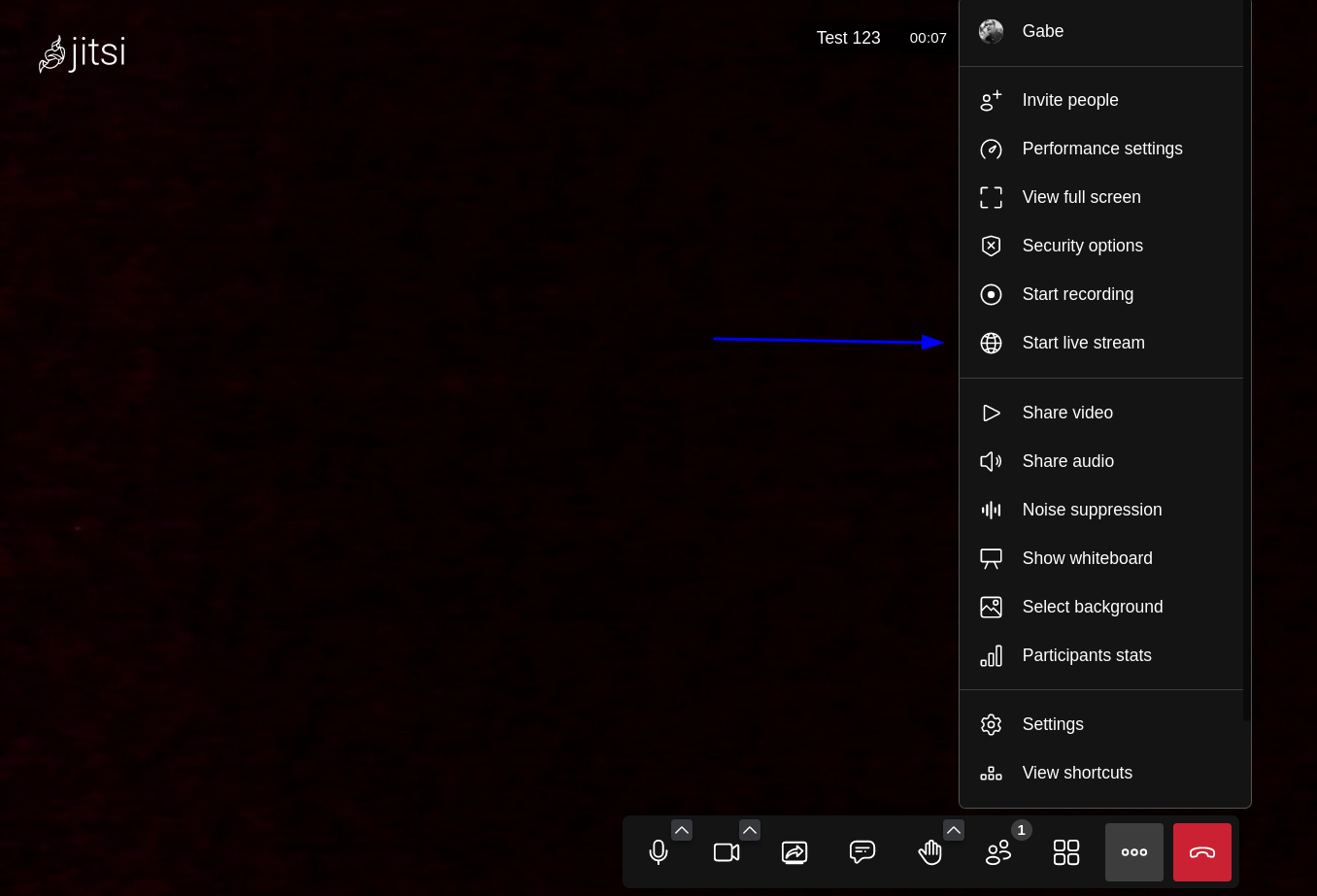
- 点击右下角的三个点。
- 选择“开始现场直播”
- 在“开始一个现场直播”窗口中,将您的完整 Owncast RTMP 填入“直播流密钥”字段。 这个格式为 rtmp://your-owncast-server/live/yourkey。
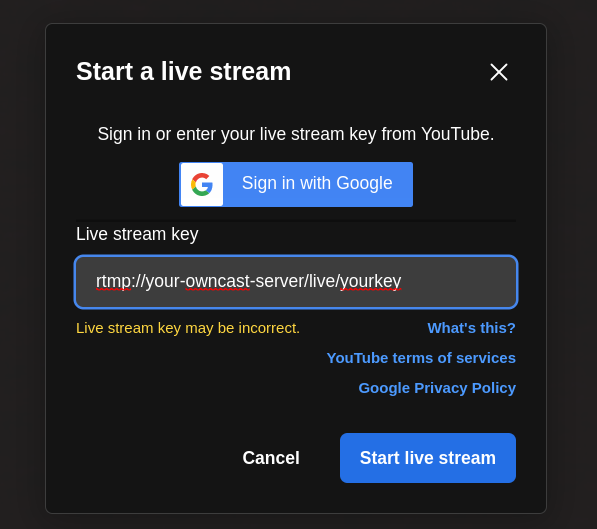
- 请注意,错误“直播流密钥可能不正确”将显示。 这是预期的,可以忽略。
Improve this page
See something missing or incorrect? Edit this page and improve the documentation for everyone.
Contributors to this documentation