 Owncast 现在支持自定义插件。
缩放
Zoom 提供将您的会议流式传输到像 Owncast 这样的直播服务。 请注意,有些更改可能需要您的 Zoom 管理员进行。
Zoom sends its RTMP stream from the internet, so TCP port 1935 on your Owncast server must be publicly reachable. Have your stream key ready.
- 设置 Owncast 并根据您的选择进行配置。
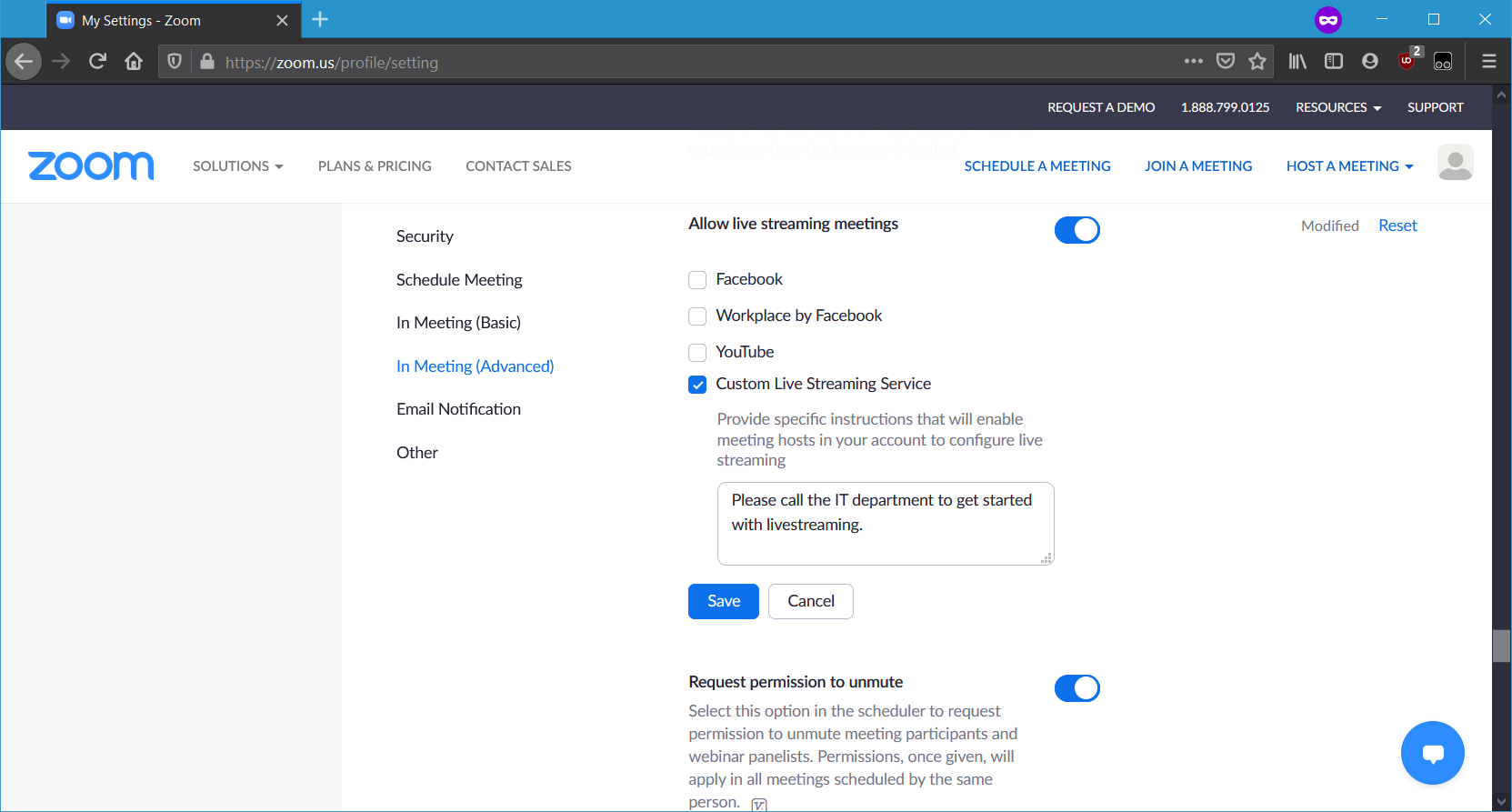
- 允许用户帐户进行直播。 在 zoom.us/profile/setting 中,向下滚动到“允许直播会议”并激活 自定义直播服务:
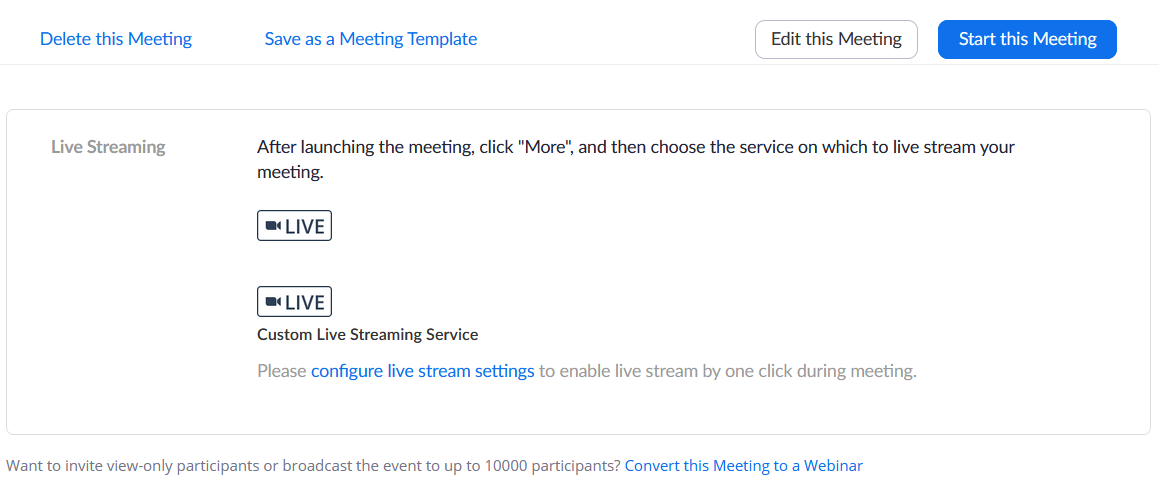
- 使用网站安排会议并保存。 Zoom 会将您重定向到“管理会议”页面,该页面在底部有一个直播部分。 单击“配置直播设置”链接:
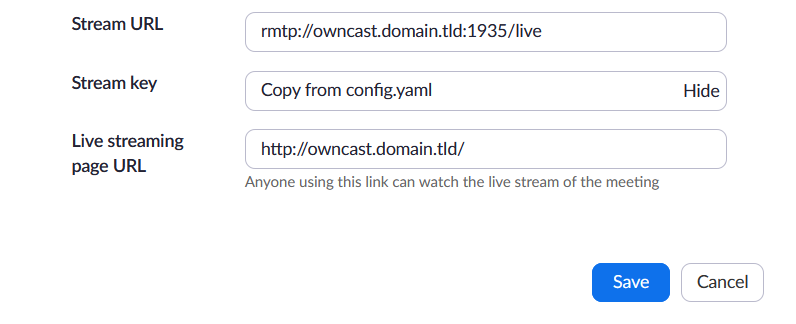
- 填写您的 Owncast 服务器信息。 “直播页面 URL”应为 Owncast 前端,因为 Zoom 会从会议中链接到它。
- 会议开始后,单击菜单栏中的“更多”,然后选择“直播到自定义服务”。 Zoom 会打开一个浏览器窗口,然后将您重定向到 Owncast 前端(或您指定的任何 URL)。
关于网络研讨会和个人会议室的说明类似,请参阅 Zoom 的支持页面以获取更多信息。
Improve this page
See something missing or incorrect? Edit this page and improve the documentation for everyone.
Contributors to this documentation
