 Owncast 现在支持自定义插件。
直播通知
某些直播通过在直播时向他们的观众宣布而受益。
这并不是对任何特定服务的认可,但它可能帮助某些直播者整合到他们现有的社区中。
如果您想进一步扩展并向其他目的地发送自动通知,请创建一个自定义webhook。
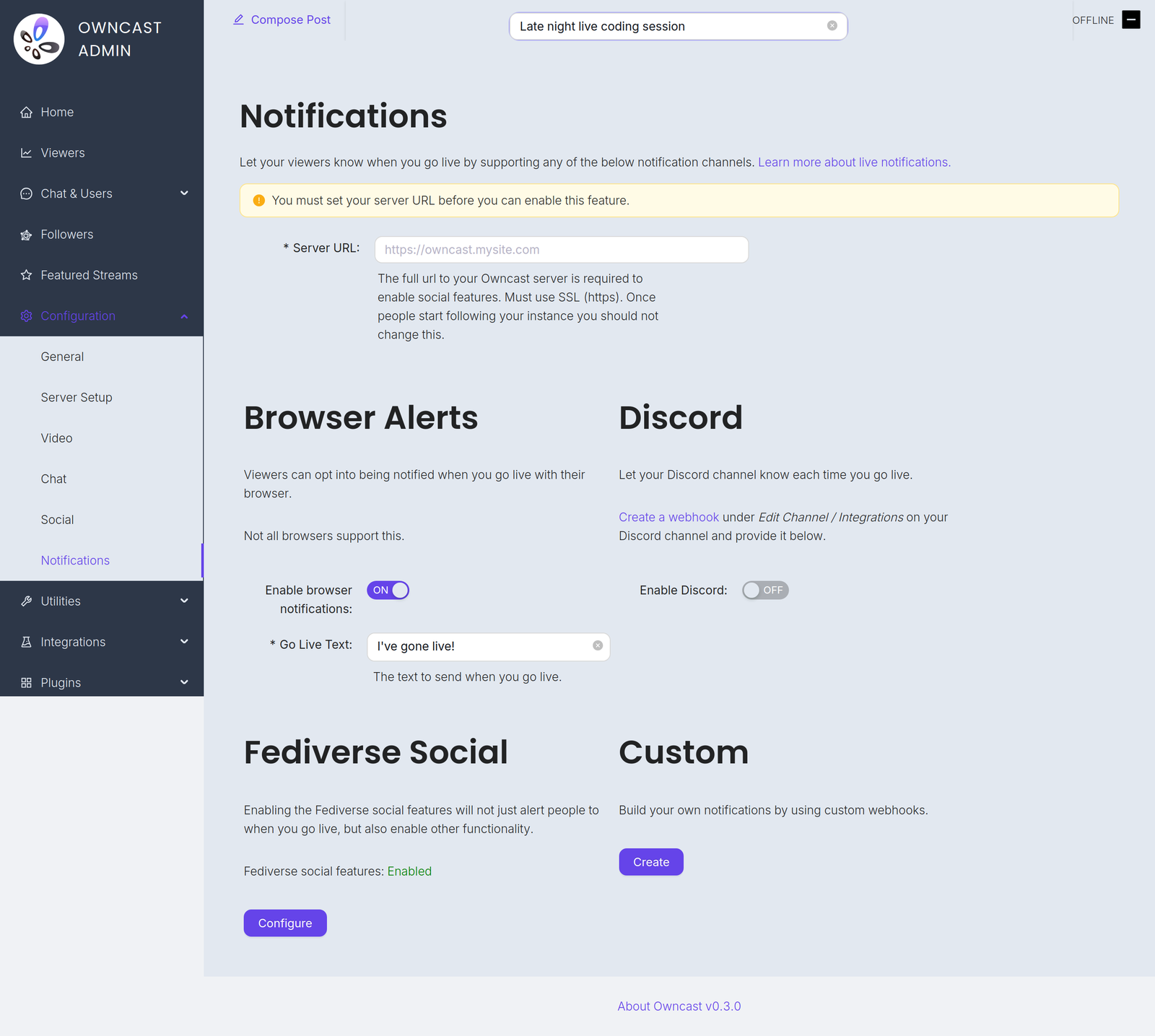
您会在管理员中的配置 → 通知下找到这些频道。
Before you can enable any of them you must set your Server URL under Configuration → General. Until you do, every notification channel on this page is disabled and the admin shows a warning with a field to set it.
Go-live notifications are not instant. Owncast waits 2 minutes after your stream starts before sending them, which avoids notifying people about accidental or very short streams. And if a notification already went out in the previous 10 minutes, for example because your stream briefly dropped and reconnected, a new one is not sent.
- 浏览器通知
- 浏览器扩展
- 联邦宇宙
- Discord
- 自定义
通过使用浏览器推送通知,您的观众可以选择在您直播时获得通知。
To offer this, turn on Enable browser notifications and set the required Go Live Text, the message sent when you go live, up to 200 characters.
Browser push notifications are not supported for local servers. Your instance must be reachable at a public HTTPS address.
并不是所有浏览器都支持此功能,而支持的浏览器可能处理方式不同。 例如,Brave 要求您选择通知有效的持续时间。 他们可能希望选择“无限制”以保持通知的活动。
在 iOS 上启用浏览器通知
您可以通过以下步骤请求在 iOS 上收到直播通知:
- 打开 Safari 并导航到您的 Owncast 实例。
- Tap the share button in Safari.
- Scroll down and tap "Add to Home Screen".
- Tap "Add".
- Give the link a name and tap the new icon on your home screen.
- Press the "Notify" button and enable notifications.
- 出现提示时点击“允许”。
接收来自任意数量流的浏览器通知的另一种建议方法是使用Owncast Browser Extension by craftamap。 它可在Chrome和Firefox上使用。
Fediverse 社交功能内置支持在您直播时通知您的关注者。 访问文档以获取更多信息。
当您的直播开始时,您可以通知 Discord 频道。
- Visit Edit Channel / Integrations on your Discord channel and create a webhook. The Discord documentation has complete instructions.
- In the Owncast admin, turn on Enable Discord.
- Paste the webhook into the Webhook URL field.
- Set the Go Live Text, the message posted when you go live, up to 300 characters.
您可以使用webhooks创建自己的自定义通知。 这允许您通过编写自己的集成,向任何服务发送通知。
Improve this page
See something missing or incorrect? Edit this page and improve the documentation for everyone.
