插件
插件让您能够向自己的 Owncast 服务器添加新的功能,而无需自己编写代码。 它们是运行在 Owncast 内部的小型附加组件,可以响应聊天、观众、直播事件和联邦网络。 插件以单个 .ocpkg 文件的形式提供,您可以在管理员处上传。

Plugins are brand-new functionality, introduced in Owncast v0.3.0, and there are few plugins available today. If you hit a bug or have a suggestion, please open an issue or chat live with the community. If you have an idea for a plugin you'd like to see, share it with the community. You are encouraged to build your own plugins to share chat bots, stream overlays, custom integrations, themes and more. The plugin SDK has everything you need to get started.
插件能做什么?
一个插件可以:
- 添加一个 聊天机器人,它会回复命令、发布提醒或移除垃圾信息。
- 添加一个 直播叠加层,您可以将其作为浏览器源添加到 OBS 中(实时聊天叠加层、观众计数器、警报等)。
- 将 Owncast 连接到其他服务,如 Discord、联邦网络或您自己的网络钩子,这样开始直播或新关注者就能触发其他地方的某些操作。
- 添加 自定义 UI 按钮,链接到您的商店、捐赠页面、日程或其他任何内容。
插件作者决定其插件的功能。 您决定是否安装它。
插件请求权限的方式
在插件执行任何敏感操作之前,必须声明其权限。 当您安装插件时,管理员会向您展示一个包含插件所需每项权限的 权限 列表,用通俗语言描述,例如 "以插件的机器人身份发布聊天信息" 或 "向其他服务发出 HTTP 请求"。 您需要审核该列表,然后决定是否启用插件。
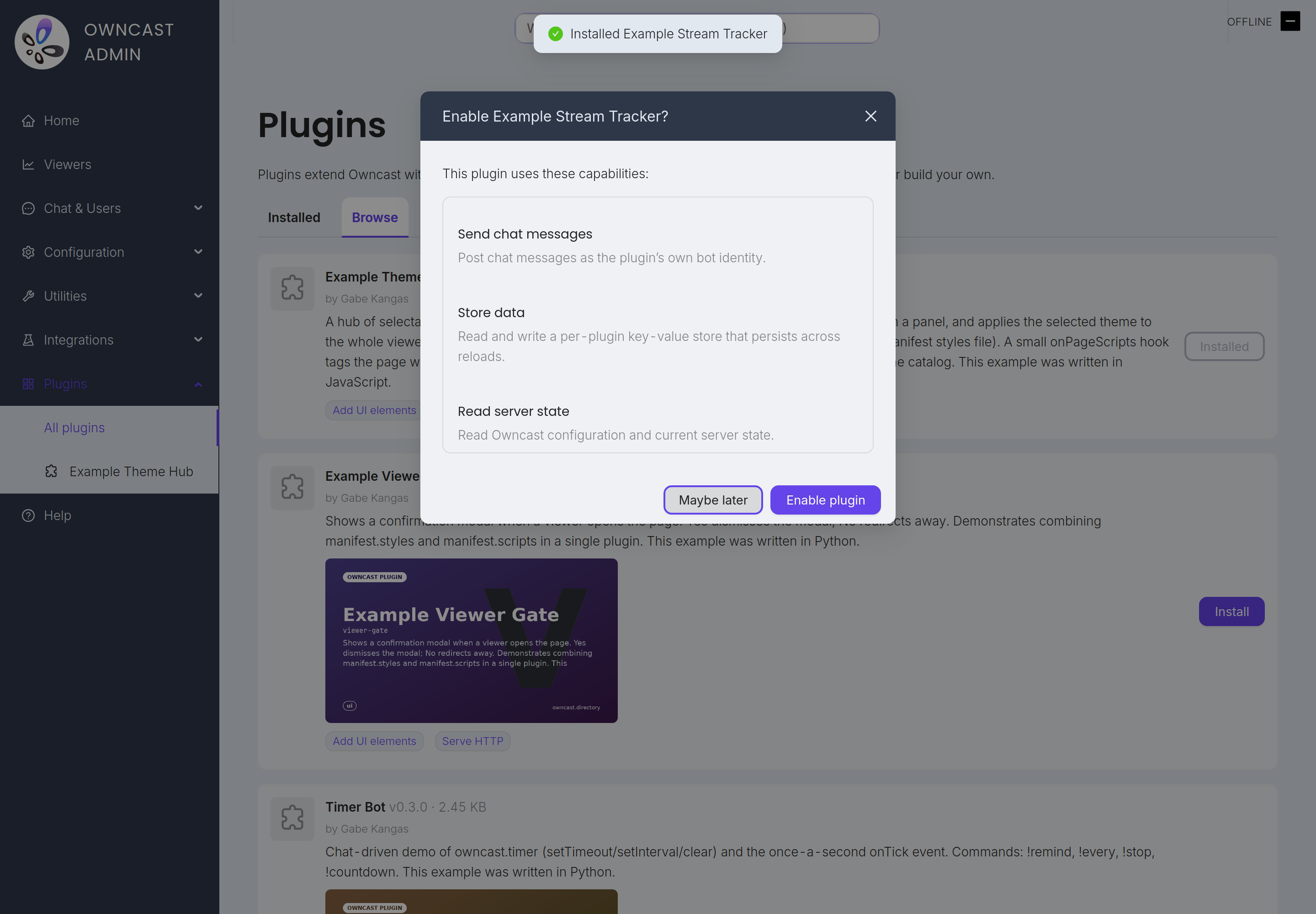
如果插件后来更新并请求 更多 访问权限,Owncast 会暂停插件并显示"需要重新授权"的标识。 插件不会再次运行,直到您审核新的权限并予以批准。 您现有的批准不会默默扩展。
安装插件
在管理员侧边栏中打开 插件。 有两种方法可以添加一个。
浏览目录。 浏览 选项卡列出了发布到公共目录的插件。 每张卡片显示插件的功能、构建者及其请求的权限。 在其中任何一张上点击 安装,Owncast 会为您下载它。
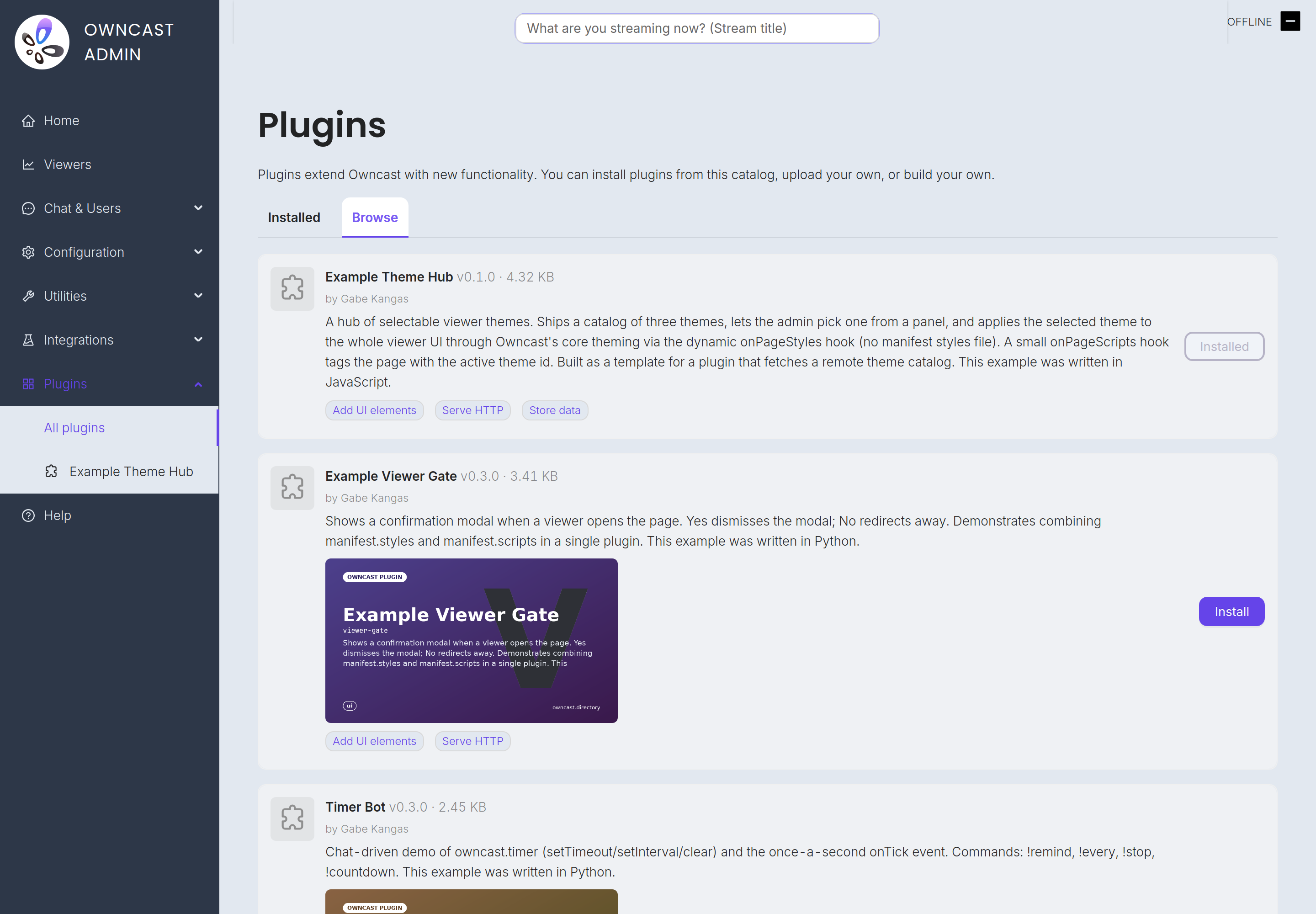
上传您自己的。 在 已安装 选项卡中,单击 上传插件,选择一个 .ocpkg 文件。 将此用于您自己构建的插件或从目录以外的地方获取的插件。 Every plugin has a unique identifier, so an upload that collides with a plugin you already have installed is rejected. Uninstall the old copy first if you are replacing it by hand.
无论哪种方式,Owncast 会向您展示插件的权限列表,并询问是否启用它。 切换 启用 来加载它。 插件在重启后依然存在,因此您不需要在重启后再次启用它。
禁用和移除
- 禁用 保留插件的安装,但停止其运行。 切换 启用 重新加载它。
- 卸载 完全移除插件。 从 插件 页面单击其行上的垃圾桶图标并确认。 插件的文件将从服务器中移除,它会立即停止任何操作。
聊天命令和 !help
许多插件增加了聊天命令。 这些是以前缀(通常是 !)开头的短消息,指示插件执行某个操作。 下面的定时器机器人示例添加了 !remind、!countdown 和其他几个命令。 观众输入命令,插件随后在聊天中响应。
您不必记住每个插件所提供的内容。 Owncast 内置了一个 !help 命令。 Anyone in chat can type !help (or !commands) and Owncast replies with a single message listing every command from supported plugins, grouped by plugin, each with a short description.
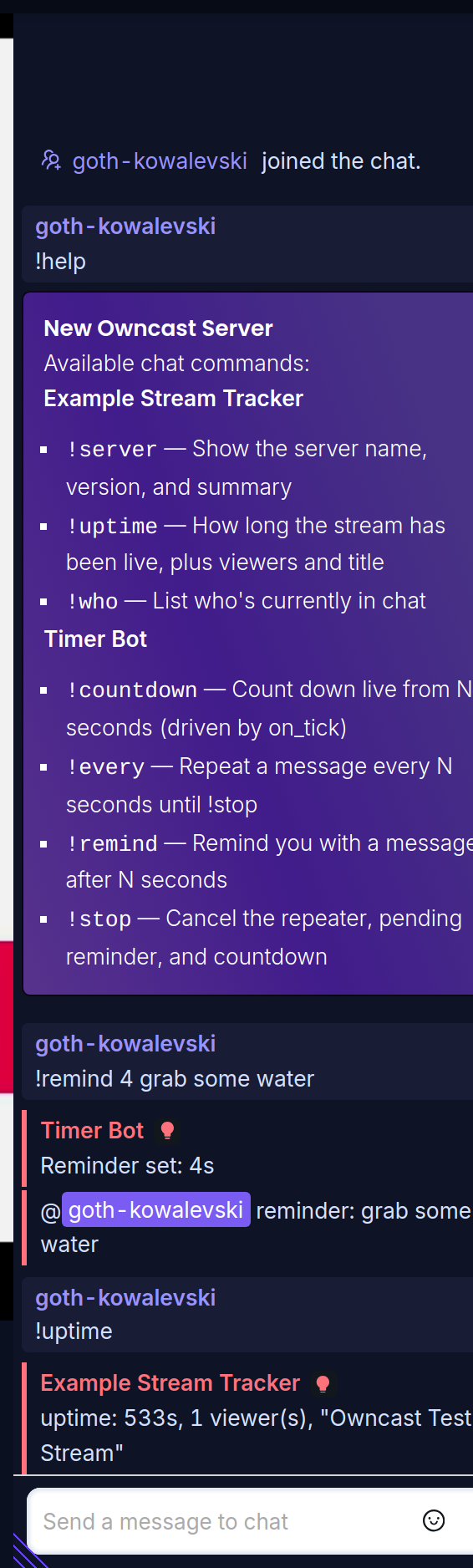
有关 !help 的一些重要信息:
- Automatically generated. Install a plugin that adds commands and they appear in
!helpright away. 禁用它后,它们就会消失。 - 插件广告宣传它们自己的命令。 插件声明其命令及其描述,因此您不需要进行任何配置。 您在
!help中看到的描述直接来自插件。 - 仅版主命令保持隐藏。 插件标记为仅限版主的命令仅在
!help中显示给您的版主。
Hardware and resource usage
Plugins are standalone tiny programs that run inside Owncast. If you enable plugins they will take up some additional CPU and memory for the runtimes and plugin themselves. Generally the first plugin will see the most RAM usage jump, and then small increases from there. If you notice your server slowing down after enabling a plugin, try disabling it to see if performance improves.
插件来自哪里?
插件由其作者构建并共享。
当您安装第三方插件时,权限 列表是您的信任边界。 如果插件请求的权限超出您期望的范围,那么在启用之前值得仔细查看。
想要构建一个吗?
The full developer documentation lives at our plugin development docs.
Improve this page
See something missing or incorrect? Edit this page and improve the documentation for everyone.
