 Owncast 现在支持自定义插件。
自定义您的 Owncast 站点.
概览
Owncast 包含一个用于视频的网页界面,带有内置聊天功能,服务器启动后即可使用。 它显示在线/离线状态、观众数量、直播时长、实例描述、图片、链接等信息。 您可以在不做任何更改的情况下直接开始使用,但您可能会希望通过访问服务器管理页面来更新页面上显示的内容。
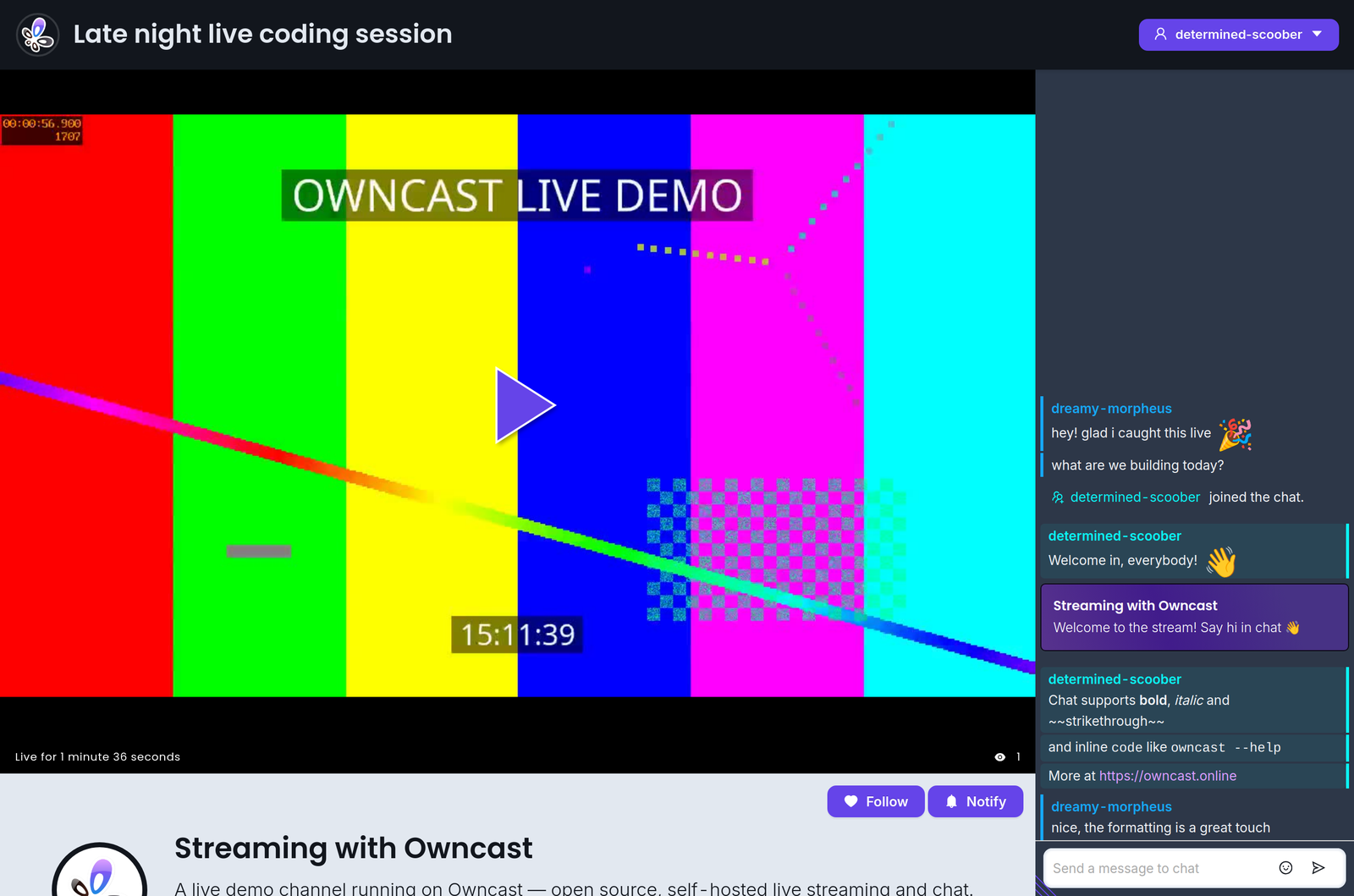
此外,该网页界面专门为任何熟悉调整颜色和样式的人设计,可进行自定义。 不需要开发环境,只需打开管理页面即可开始调整。
如果您想在现有网站中嵌入 Owncast,请查看我们的 关于嵌入 Owncast 的文档。
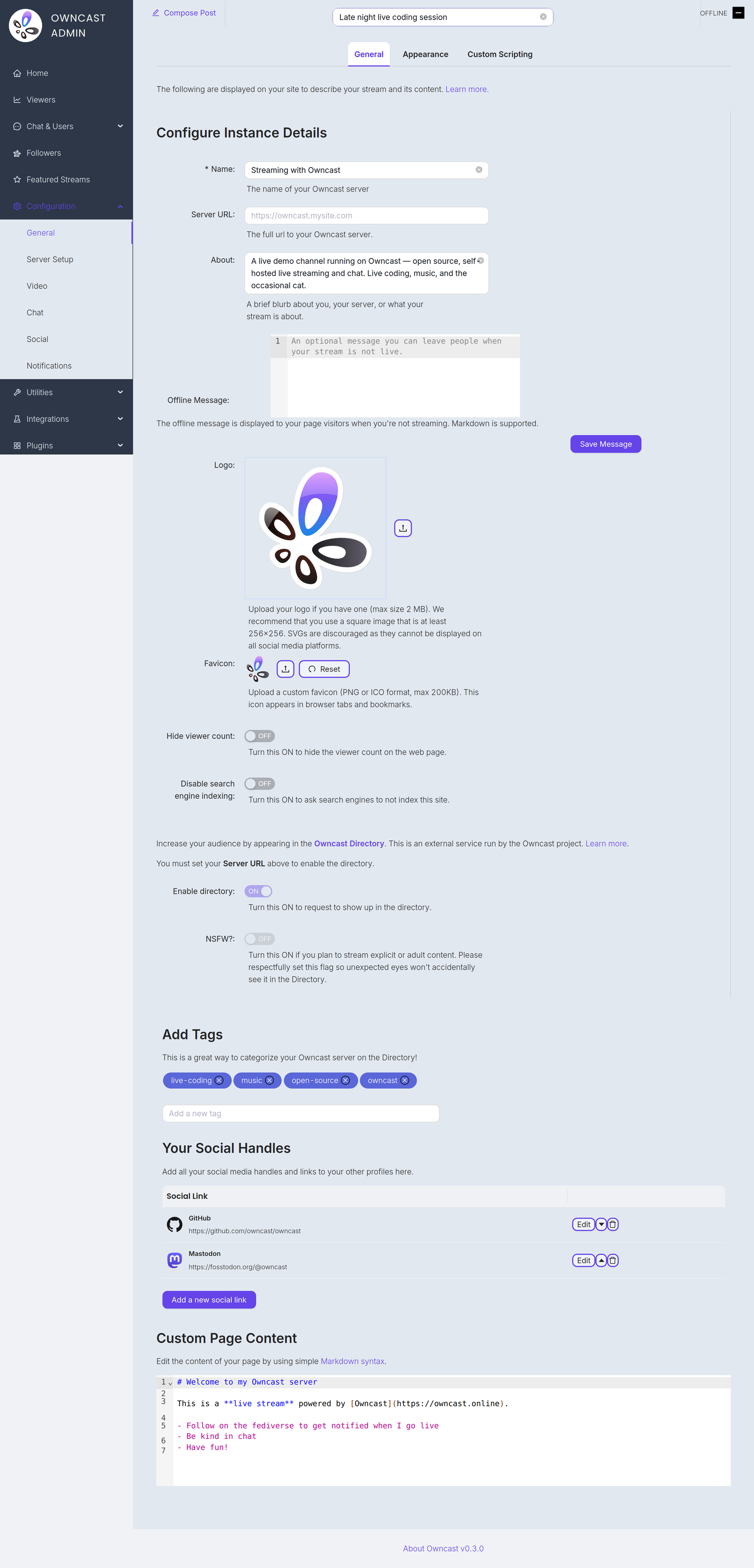
下面列出了一些您可能想自定义的项目,以更新页面上显示的内容。 您可以在管理界面的 常规 设置页面中找到所有这些。
Name and About
By setting your name, About text and logo you can quickly update the contents of the website to reflect your stream. The Name field accepts up to 255 characters. The About field is a short blurb, up to 500 characters, about you, your server, or what your stream is about.
Server URL
The full public URL of your server, for example https://owncast.mysite.com. You must set it before you can enable the Owncast Directory listing or any of the live stream notifications.
Offline Message
An optional message, up to 2500 characters, shown to visitors when you're not streaming. Markdown is supported.
Logo
Upload your logo as a PNG, JPEG or GIF up to 2 MB. A square image of at least 256x256 works best. SVGs are discouraged as they can't be displayed on all social media platforms.
Favicon
Upload a custom favicon in PNG or ICO format, up to 200 KB. It appears in browser tabs and bookmarks.
标签
通过设置标签,您可以向潜在观众展示您通常直播的内容类别。
外部社交链接
您可以在管理页面中添加其他网站个人资料的链接。
网页内容
页面主体内容可以在管理页面中自定义。 使用标准 Markdown 语法 来添加链接、图片等。
Hide viewer count
Turn this on to hide the viewer count on your web page.
Disable search engine indexing
Turn this on to ask search engines not to index your site.
Enable directory
Request a listing in the Owncast Directory, an external service run by the Owncast project that helps people find streams. Requires the Server URL to be set. Read more about the directory.
NSFW
If you stream explicit or adult content, turn this on so unexpected eyes won't accidentally see it in the directory. Like the directory toggle, it requires the Server URL to be set.
Improve this page
See something missing or incorrect? Edit this page and improve the documentation for everyone.
